 Skip to content

How to Set Up Google Ads: A Step-by-Step Guide
How to set up Google Ads step by step: goal, conversion tracking, campaign type, structure, keywords, ads, landing page, bidding and budget, then launch and manage.
Quick Answer
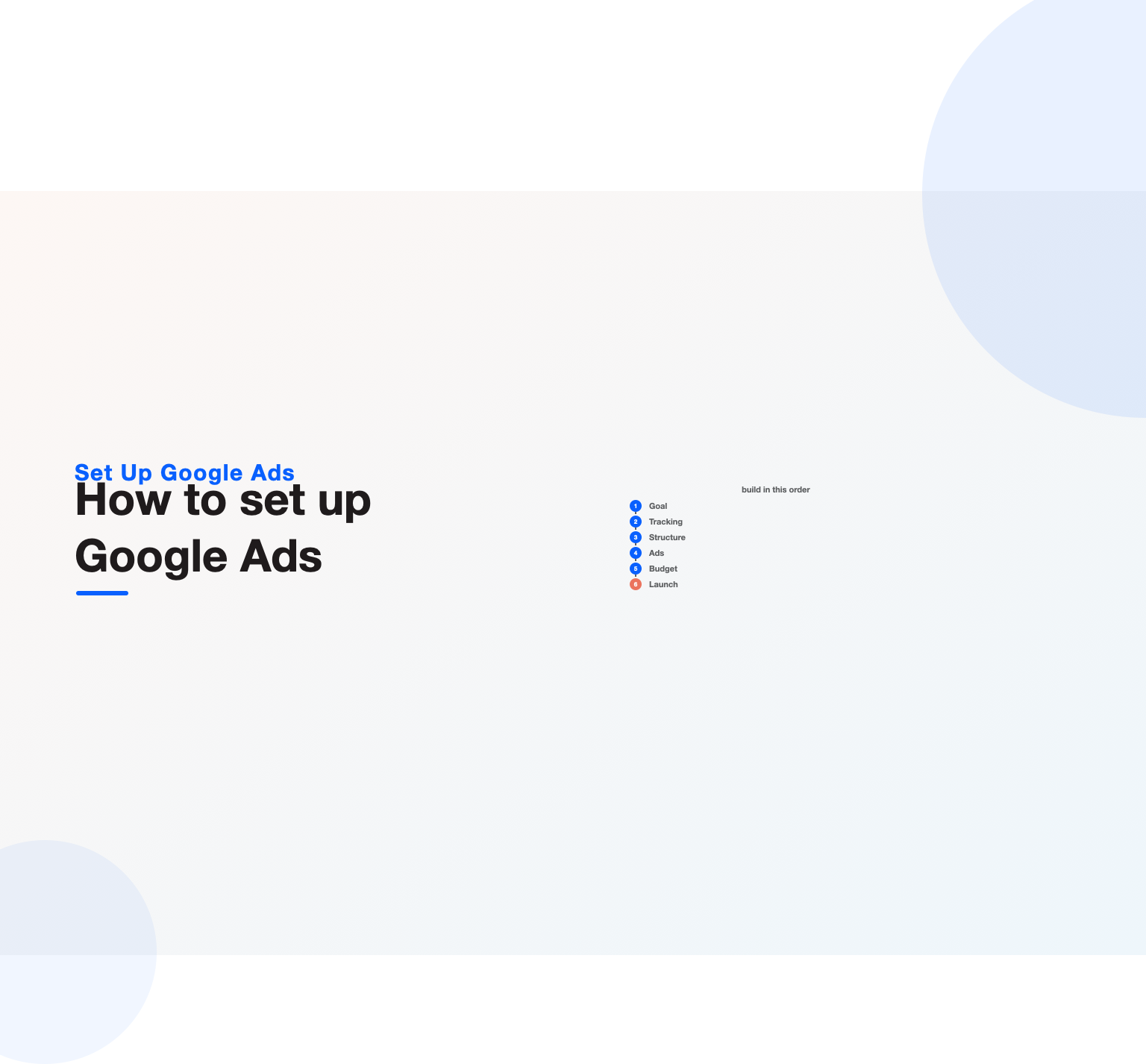
To set up Google Ads the right way, you work through a clear sequence: create and configure the account, install accurate conversion tracking before you spend a cent, choose the campaign type that fits your goal, structure campaigns and tightly themed ad groups around your keywords, add negative keywords to block waste, write relevant ads with strong assets, point each ad at a matched landing page, pick a bidding strategy and a realistic budget, and then launch and monitor closely. The single most important step, and the one beginners skip most often, is conversion tracking, because without it you cannot tell what works and automated bidding has nothing to optimize toward. A good setup is not about switching everything on quickly; it is about building the foundation, tracking, structure, relevance, budget, so the account can actually be measured and improved. Rushed setups that skip these steps waste budget from day one on the wrong searches with no way to know it. This guide walks through how to set up Google Ads step by step, in the order that gives a new account the best chance of profitability.
Key Highlights
- To set up Google Ads well, follow a sequence: account, conversion tracking, campaign type, structure, keywords, negatives, ads, landing page, bidding, budget, launch.
- Conversion tracking is the most important and most-skipped step, because everything else depends on measuring what works.
- Tight, well-themed ad groups let ads match their keywords, lifting relevance and Quality Score from the start.
- Negative keywords and a realistic budget protect a new account from wasting spend on the wrong searches.
- New accounts usually start with a Search campaign and simpler bidding until conversion data accumulates.
- Launch is the beginning, not the end, so close monitoring in the first weeks catches waste while it is small.
Before you build: goals and preparation
The work of a good setup starts before you touch the account, with getting clear on what you actually want it to achieve, because every later decision flows from that goal. Knowing whether you want phone calls, form submissions, online sales or store visits determines which campaign type fits, what counts as a conversion, and how you will measure success, so defining the goal precisely is the real first step. An account built without a clear objective tends to sprawl in every direction and prove impossible to judge, whereas one built toward a specific outcome stays focused.
Preparation also means gathering what the setup needs: a sense of the keywords your customers search, an idea of what a customer is worth so you can budget sensibly, and the landing pages the ads will point to. Doing this thinking upfront, rather than improvising inside the account, produces a far stronger setup, and it connects to the broader planning that a realistic Google Ads budget requires. Skipping the preparation and diving straight into building is how new accounts end up with the wrong keywords, arbitrary budgets and no way to measure results, so a little planning before you build pays off throughout, a discipline any thorough Google Ads management engagement applies from the outset.
Create and configure the account
The first hands-on step is creating the account and configuring its basic settings correctly, which is straightforward but worth doing carefully since these settings shape everything that follows. Setting the right time zone and currency matters because they cannot be changed later and affect all your reporting, and configuring billing properly ensures the account can actually run. Taking a few extra minutes to get these foundations right prevents the frustration of discovering a wrong setting after campaigns are live, when fixing it may mean starting parts of the account over.
Beyond the basics, resist the platform’s push to launch a quick campaign with its guided setup before you have done the groundwork, because that shortcut tends to produce a poorly structured campaign on the wrong settings that you then have to unpick. It is better to create the account, get the fundamentals configured, and then build deliberately using the steps that follow, rather than letting the guided flow rush you into spending before tracking and structure are in place. Starting with a clean, correctly configured account gives you the control to build it properly, which is the whole point of learning to set up Google Ads yourself rather than letting the automation decide.
Install conversion tracking first
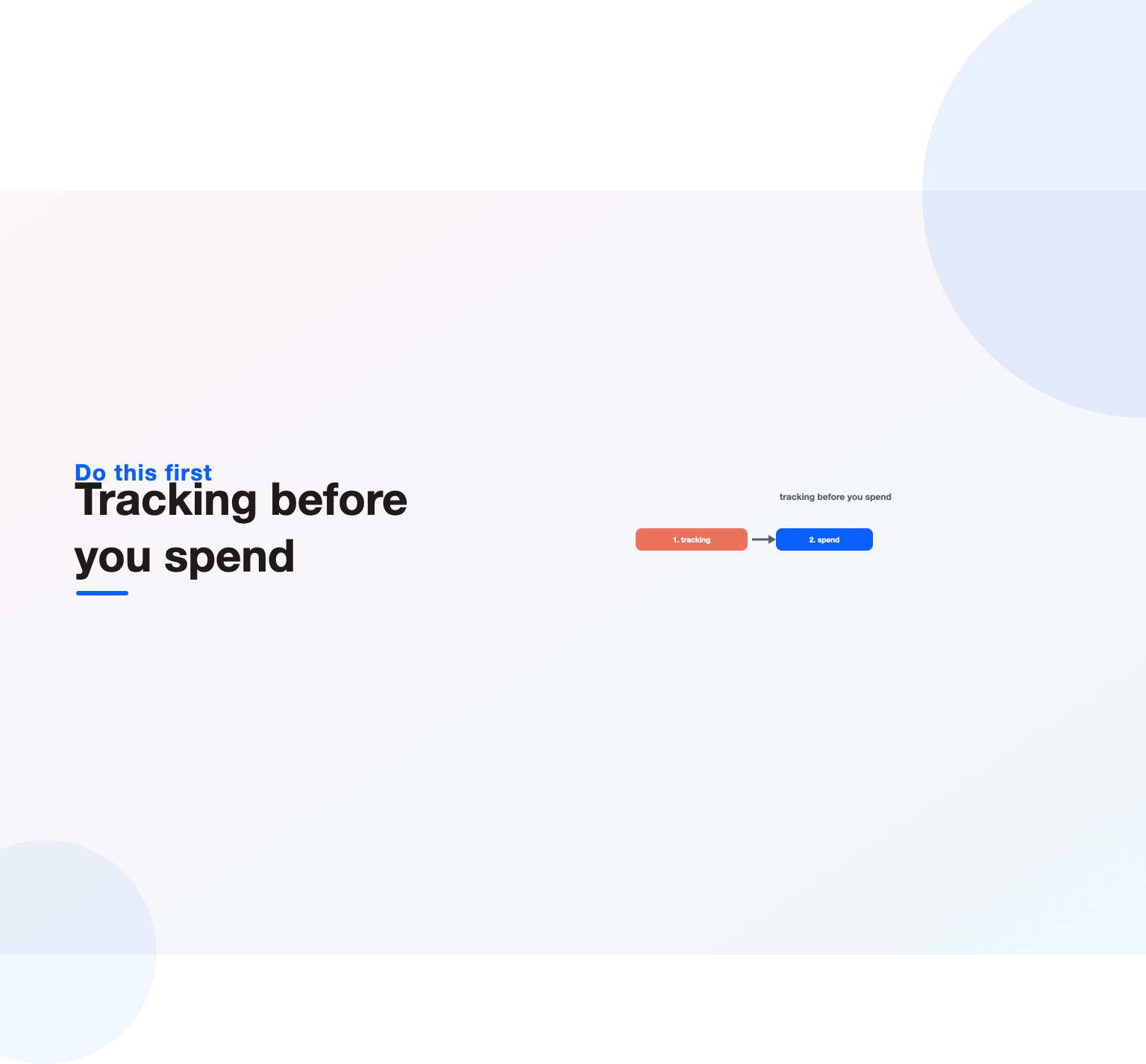
Before building any campaign, install conversion tracking, because this is the single most important step and the one that most determines whether the account will succeed. Conversion tracking is what tells you which clicks, keywords and campaigns produce the outcomes you care about, and without it you are flying blind, judging the account by clicks that have no proven link to results, while any automated bidding has nothing real to optimize toward. Setting up tracking before you spend anything means every click from launch onward is measured.
The work involves defining the actions that count as conversions, purchases, leads, calls, and implementing the tracking so it fires accurately when those actions happen, ideally with values attached so you can optimize toward profit. Getting this right is the foundation the whole account rests on, which is why our dedicated guide to Google Ads conversion tracking treats it as the first thing to verify. Beginners who skip this step to get campaigns live faster almost always regret it, because they end up unable to tell what worked and forced to redo everything once they realize the data was never there, so doing it first, before launch, is non-negotiable.
Choose your campaign type
With tracking in place, choose the campaign type that fits your goal, since each type is built for a different objective and starting with the wrong one wastes effort. For most new advertisers wanting to capture existing demand and drive conversions directly, a Search campaign is the right starting point, because it reaches people actively searching for what you offer at the moment of intent, which is the most direct and measurable way to begin building a track record. Retailers may add Shopping, and businesses building awareness may later add other types, but Search is where nearly every account should start.
Resisting the urge to run several campaign types at once matters for a new account, because a limited budget spread across many types starves each of the data it needs, whereas concentrating on one well-chosen type lets it gather signal and prove out. Beginning with a single Search campaign, mastering it, and expanding into other types as budget and understanding grow is the disciplined path, and understanding what each type is for, covered in our guide to campaign types, prevents the common beginner mistake of switching on everything before the foundation is solid. Choosing the right single type to start is a decision that shapes how quickly the account becomes profitable.
Structure campaigns and ad groups
How you structure the account determines how well everything else works, so building tight, logical campaigns and ad groups is a core part of the setup rather than mere organization. Within your campaign, group keywords into tightly themed ad groups, each containing a small cluster of closely related keywords, so the ad in each group can speak directly to those specific searches. This tight structure is what lets ads be relevant, which lifts Quality Score and lowers cost from the very start, whereas a single ad group stuffed with unrelated keywords forces generic ads that perform poorly.
The discipline is to think about how a searcher’s intent breaks down and mirror that in the structure, with separate ad groups for genuinely different needs and separate campaigns where you need to control budget separately. It takes more effort than dumping every keyword into one group, but it is the foundation of a well-performing account and pays off in relevance, cost and clarity of reporting throughout the account’s life. Getting the structure right at setup, rather than trying to untangle a messy account later, is one of the highest-value things a beginner can do, and it is exactly the architecture discipline that steady Google Ads optimization depends on.
Keywords and negative keywords
Choosing the right keywords and, just as importantly, the right negative keywords is what decides which searches your budget reaches. For each ad group, select a tight set of keywords that reflect how your customers actually search, choosing match types deliberately to balance reach and control, and avoiding keywords so broad or generic that they attract irrelevant traffic. Starting with tighter, higher-intent keywords is usually wise for a new account, since it protects a limited budget from being spread across loosely related searches before you have the data to control wider reach.
Negative keywords are the other half and are essential from day one, not an afterthought. Building a starter list of negatives, terms indicating the wrong intent, wrong audience or products you do not offer, blocks predictable waste before it happens, and reviewing the search-terms report after launch reveals more to add. Setting up both positive and negative keywords thoughtfully at the start gives a new campaign a far more efficient beginning, and it draws on the same discipline our guides to keyword match types and negative keywords cover in depth. Neglecting negatives is the fastest way for a new account to waste money on searches that will never convert.
Write your ads and add assets
With structure and keywords in place, write ads that are relevant to each ad group and compelling enough to earn clicks. Because each ad group is tightly themed, its ad can speak directly to those keywords, so write specific, benefit-led copy with a clear call to action that reflects the searches the group targets, and provide several strong, varied assets so the responsive search ad has good material to combine. Relevant, compelling ads lift click-through rate and Quality Score together, which lowers cost, so this step is worth real care rather than generic filler thrown in to fill the boxes.
Adding assets and extensions rounds out the ads at no extra cost per click, so include sitelinks, callouts, structured snippets and any other relevant assets to expand the ad and give searchers more reasons to click. A complete, relevant ad with a full set of assets simply performs better than a bare one, so building them in at setup captures easy performance from the start. The craft of writing strong ads and completing them with assets, covered in our guides to responsive search ads and ad extensions, is where a new account earns its click-through rate, so it deserves attention rather than being rushed.
Point ads at matched landing pages
Make sure each ad points to a relevant landing page that delivers what the ad promised, because the page is where a paid click becomes a customer, and even a perfect campaign fails if it sends traffic to a weak or mismatched page. Pointing ads at a generic homepage is a common beginner mistake that converts poorly and hurts Quality Score, whereas sending each ad to a focused, relevant page that matches its message, loads fast and makes the desired action clear converts far better and lowers cost. The page is part of the setup, not a separate concern.
For a new account, this may mean building or improving landing pages before launch so the clicks you pay for have somewhere effective to land, which is well worth the effort given how much the page determines return. Ensuring message match between ad and page, a fast mobile experience, and a single clear call to action turns paid clicks into conversions rather than bounces, the fundamentals our guide to Google Ads landing pages lays out. Treating the landing page as an integral step of the setup, rather than an afterthought, is what makes the difference between traffic that converts and traffic that leaks away.
Set bidding and budget
Choose a bidding strategy and set a budget that fit a new account, which usually means starting simpler than a mature account would. Because automated bidding needs conversion data to work well, a brand-new account with no history often does better beginning on a simpler strategy, or an automated one aimed at gathering conversions, until enough data accumulates to support a more sophisticated approach, at which point you can move to a strategy targeting a specific cost or return. Matching the bidding to the data you actually have, rather than reaching for the most advanced option on day one, prevents the common mistake of expecting advanced automation to perform before it has anything to learn from.
Set the budget from your economics, what a customer is worth and how many conversions you want, rather than an arbitrary figure, and size it so the campaign can gather enough conversions to be optimized rather than being starved. Remember that the daily budget is a monthly average, so plan in monthly terms, and concentrate the budget on your chosen campaign rather than spreading it thin. Getting bidding and budget right at setup, informed by our guides to bidding strategies and budgeting, gives a new account a realistic foundation to grow from rather than one that fails because it was starved or mismatched from the start.
Launch and monitor closely
Launching is the beginning of the work, not the end, so plan to monitor a new account closely in its first weeks when problems are most likely and most costly. Early on, watch that conversion tracking is actually recording, that spend is pacing sensibly, and that the search-terms report is not filling with irrelevant queries, because catching these issues in the first days rather than at month-end saves real budget. A new account almost always needs adjustment as real data arrives, so treating launch as the start of active management is essential.
The first weeks are largely about learning from real data and refining: adding negatives as the search-terms report reveals waste, adjusting bids and budget as performance emerges, pausing what does not work and building on what does. This early, attentive optimization is where a new account moves from its initial setup toward genuine efficiency, and it never really stops, since ongoing management is what keeps an account improving. Approaching launch as the moment active optimization and auditing begins, rather than a finish line, is what separates accounts that improve from those that quietly waste budget on autopilot.
How long a proper setup takes
A common question from beginners is how long all this should take, and the honest answer is that a proper setup is measured in hours of focused work, not minutes, though far less than people fear once they follow a clear order. Defining the goal and preparing keywords and pages is an afternoon of thinking; configuring the account and installing tracking is an hour or two done carefully; and building the structure, keywords, negatives, ads and assets for a first campaign is another focused session. Rushing any of these to launch the same hour you open the account is exactly the false economy that produces a weak account you then spend weeks fixing.
The reassuring part is that this investment is front-loaded and pays back for the life of the account. A setup built properly, tracking measuring cleanly, structure tight, keywords sensible, needs refinement but not rebuilding, whereas a rushed one usually has to be torn down and redone once its problems surface. Treating the setup as a deliberate project rather than a five-minute switch-on is the single mindset shift that most improves a beginner’s odds, and it is the same patience that a considered Google Ads budget and a careful Google Ads audit both reward, whatever the vertical, from a local service to a SaaS account.
Common setup mistakes to avoid
Several mistakes recur when people set up Google Ads, and avoiding them saves a new account from a poor start. The most damaging is skipping conversion tracking to launch faster, which leaves the account unmeasurable and any automation optimizing toward nothing. Close behind is letting the platform’s guided flow build a quick, poorly structured campaign on default settings, rather than building deliberately. Dumping all keywords into one broad ad group, neglecting negative keywords, and pointing ads at a generic homepage are all common and all costly.
Other frequent errors include setting an arbitrary budget disconnected from what a customer is worth, spreading a small budget across many campaign types at once, expecting advanced automated bidding to perform before there is data to feed it, and treating launch as the finish rather than the start of management. The thread through these mistakes is rushing to spend before the foundation, tracking, structure, relevance, budget, is properly in place. Advertisers who set up Google Ads patiently and in the right order give their account a genuine chance at profitability, while those who rush waste budget from day one, a difference a careful setup, or a professional one, reliably makes.
When to get help setting up Google Ads
A capable, patient beginner can set up Google Ads themselves by following these steps in order, and doing so builds a genuine understanding of how the account works that pays off in every later decision. For a smaller account with a straightforward goal, a careful self-setup, tracking first, tight structure, sensible keywords and budget, is entirely realistic and often the best way to learn. The steps are not technically hard; the discipline of doing them in the right order, and not rushing to spend, is what matters most.
Getting help makes sense when the stakes are high enough that early mistakes are costly, when the setup is complex, spanning several campaign types, feeds or markets, or when you simply do not have the time to build and then actively manage the account through its crucial first weeks. An experienced practitioner sets up tracking, structure, keywords, ads and bidding correctly from the start and manages the early optimization that turns a fresh account into an efficient one, so folding setup into ongoing Google Ads services often avoids the wasted spend a rushed self-setup incurs. Whichever route you take, the order stays the same: goal, tracking, type, structure, keywords, ads, page, budget, launch, manage.
If there is one idea to carry away, it is that the order of these steps is not arbitrary; each one depends on the ones before it. Structure only helps once you know your goal, ads only matter once the structure is tight, bidding only works once tracking is measuring, and every dollar is only accountable once conversions are recorded. Follow the sequence and each step stands on solid ground; jump ahead and you build on sand, which is why the accounts that struggle are almost never the ones that went slowly and in order, but the ones that rushed to spend before the foundation was laid. Learning to set up Google Ads well is really learning to be patient with that order, and the reward is an account you can actually measure, understand and improve rather than one you are forever trying to rescue.
Key Takeaways
- To set up Google Ads well, follow the order: goal, conversion tracking, campaign type, structure, keywords and negatives, ads and assets, landing page, bidding and budget, launch, manage.
- Install conversion tracking before spending anything, since it is the foundation everything else depends on.
- Start with a single Search campaign and tight, themed ad groups so ads match their keywords from day one.
- Add negative keywords and a realistic, economics-based budget to protect a new account from waste.
- Point every ad at a matched landing page, and choose bidding that fits the little data a new account has.
- Treat launch as the start of active management, applying the discipline a Google Ads optimization routine demands.
Frequently asked questions
How do I set up Google Ads?
Work through a clear sequence. Start by defining your goal, then create and configure the account with the correct time zone and currency. Install conversion tracking before spending anything, since it is the most important step. Choose a campaign type, usually a Search campaign for a new account, and structure it into tightly themed ad groups around your keywords. Add negative keywords to block waste, write relevant ads with strong assets, and point each ad at a matched landing page. Choose a bidding strategy and a realistic, economics-based budget, then launch and monitor closely in the first weeks. Building in this order gives a new account the best chance of profitability.
What is the most important step in setting up Google Ads?
Installing accurate conversion tracking before you spend anything is the most important step, and the one beginners skip most often. Conversion tracking tells you which clicks, keywords and campaigns produce the outcomes you care about, so without it you cannot tell what works, and any automated bidding has nothing real to optimize toward. An account running without proper tracking is spending money blind, unable to distinguish what is working from what is wasting budget. Setting up tracking first means every click from launch onward is measured, which is the foundation every other decision, from bidding to budget allocation, depends on. Skipping it almost always means redoing the account later.
Should beginners start with a Search campaign?
Usually yes. For most new advertisers wanting to capture existing demand and drive conversions directly, a Search campaign is the right starting point, because it reaches people actively searching for what you offer at the moment of intent, which is the most direct and measurable way to begin. It gives clear feedback on which keywords and ads work, building the understanding and data that later expansion depends on. Spreading a limited budget across several campaign types at once starves each of the data it needs, so concentrating on a single well-run Search campaign first, then expanding into Shopping, Display or other types as budget and understanding grow, is the disciplined path for a beginner.
How much should I budget when starting Google Ads?
Set the budget from your economics rather than an arbitrary figure. Start from what a converted customer is worth and roughly what a click and a conversion cost in your market, then size the budget so your chosen campaign can gather enough conversions to be optimized rather than being starved of data. Concentrating the budget on one campaign, rather than spreading it thinly, matters most for a new account. Remember that the daily budget is a monthly average, so plan in monthly terms. Treat the early spend partly as the cost of gathering data, then refine the budget from your own real numbers once they arrive rather than guessing indefinitely.
Can I set up Google Ads myself?
Yes, a capable and patient beginner can set up Google Ads by following the steps in order, and doing so builds valuable understanding of how the account works. For a smaller account with a clear goal, a careful self-setup, tracking first, tight structure, sensible keywords and budget, a matched landing page, and close monitoring after launch, is entirely realistic. The steps are not technically difficult; the discipline of doing them in the right order and not rushing to spend is what matters. Help becomes worthwhile when the stakes are high, the setup is complex, or you lack time to manage the crucial first weeks, but many people successfully run their own accounts.
What mistakes should I avoid when setting up Google Ads?
The most damaging mistake is skipping conversion tracking to launch faster, which leaves the account unmeasurable. Avoid letting the platform’s guided flow build a quick, poorly structured campaign on default settings; build deliberately instead. Do not dump all keywords into one broad ad group, neglect negative keywords, or point ads at a generic homepage, since each hurts relevance and wastes budget. Steer clear of an arbitrary budget disconnected from customer value, spreading a small budget across many campaign types, and expecting advanced automated bidding to perform before it has data. The common thread is rushing to spend before the foundation is in place, so build patiently and in the right order.
Ready to put this into practice?
Talk to the team that runs SEO, AI search and paid growth programs every day.
Book a Strategy Call →