 Skip to content

Google Ads Ad Extensions (Assets): The Free Performance Lever
Ad extensions, now called assets in Google Ads, expand your ads for free and lift CTR. Learn sitelinks, callouts, snippets, calls, images and how to keep them working.
Quick Answer
Ad extensions, now called assets in Google Ads, are the extra pieces of information you can add to a text ad, sitelinks, callouts, structured snippets, images, phone numbers, prices, promotions and more, that expand it, make it more useful, and give searchers more reasons to click. They matter because they are essentially free performance: extensions take up more space on the results page, offer additional links and information, and typically lift click-through rate at no extra cost per click, while also feeding into Quality Score and ad rank. An ad shown with a full, relevant set of ad extensions occupies more screen real estate and gives people more ways to engage than a bare ad, so accounts that neglect them leave easy gains on the table. Google decides which extensions to show for each auction based on what it predicts will perform, so your job is to provide a generous, relevant, well-maintained set and let the system choose. This guide explains the main types of ad extensions, what each does, how to use them well, and how to keep them working, because for the effort involved they are one of the highest-return improvements available in an account.
Key Highlights
- Ad extensions, called assets in Google Ads, add extra information to ads, sitelinks, callouts, snippets, images, calls and more, expanding them for free.
- They lift click-through rate and feed Quality Score, so a full, relevant set is one of the highest-return improvements in an account.
- Google chooses which ad extensions to show per auction, so your job is to supply a generous, relevant set and let the system optimize.
- Sitelinks, callouts and structured snippets are the core text extensions every account should use, with more added by relevance.
- Extensions must be specific, current and useful, since generic or stale ones add little and can undercut the ad.
- Maintaining and reviewing ad extensions over time keeps them contributing rather than quietly going out of date.
Why ad extensions matter
Every advertiser competes for attention on a crowded results page, and ad extensions are one of the most effective ways to stand out without paying more per click. By adding sitelinks, callouts, images and other assets, an ad grows larger, presents more information, and gives searchers multiple reasons and routes to engage, which lifts click-through rate compared with a bare text ad. Since you are not charged more for the extra space or the additional links, that higher click-through rate is essentially free performance, which is why extensions are among the first things a well-run account gets right, ahead of many of the more advanced bidding strategies advertisers tend to reach for first.
The benefit compounds through Quality Score and ad rank. A higher click-through rate improves the expected click-through rate component of Quality Score, which lowers cost per click and improves position, and the presence of relevant extensions is itself a factor in ad rank, so using them well makes an ad both cheaper and more prominent. That double effect, more clicks and better economics, is why neglecting ad extensions is such a common and costly oversight, and why building a complete set is a standard early move in any thorough Google Ads management engagement rather than an optional polish.
Sitelink extensions
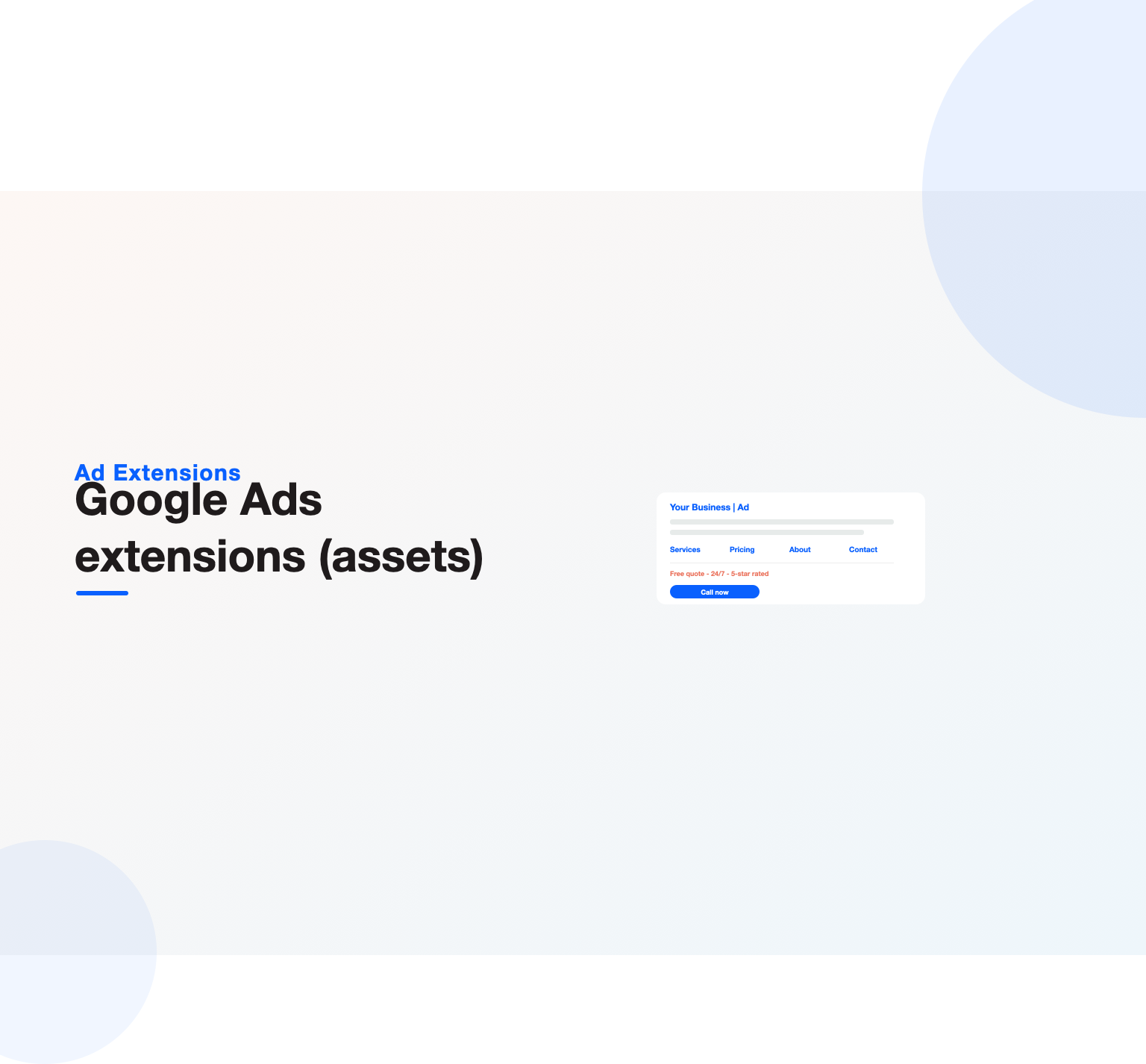
Sitelinks are among the most valuable assets, adding extra links beneath your ad that send people to specific pages of your site, so a single ad can offer several destinations rather than one. A service business might link to its main services, pricing, about and contact pages; a retailer might link to popular categories or offers, giving searchers a direct route to exactly the part of the site they want. This both improves the experience, letting people jump straight to what interests them, and expands the ad significantly, which is why sitelinks so reliably lift click-through rate.
Good sitelinks are specific and genuinely useful rather than filler. Linking to the pages people actually want, described clearly, and pointing each to a relevant destination makes them work, whereas vague or redundant sitelinks add little. Providing several strong sitelinks gives Google options to show and expands the ad when they appear, so a generous set of relevant links is worth building for every campaign. Because sitelinks route people to specific pages, they also pair naturally with strong landing pages, so the destination lives up to the promise, a coordination that matters as much for a local Google Ads for contractors account as for any large advertiser.
Callout and structured snippet extensions
Callout extensions are short phrases that highlight benefits, features or selling points, free shipping, twenty-four hour service, price match guarantee, adding a line of persuasive detail beneath the ad that reinforces why someone should choose you. They do not link anywhere; their job is to communicate value quickly, so the best callouts are specific, benefit-led and distinct from one another, covering the reasons a searcher would pick you rather than repeating the same idea. A strong set of callouts adds persuasive substance to an ad at no extra cost, and because each one is a small, self-contained claim, they are among the easiest extensions to write well and to keep fresh as your offers and differentiators evolve.
Structured snippets work differently, letting you list items under a predefined header, services, brands, types, destinations, so you can show the range of what you offer in a scannable format. A course provider might list course types, a retailer might list brands carried, giving searchers a quick sense of breadth that a headline cannot convey on its own, and helping the right buyer recognize instantly that you carry what they came looking for. Together, callouts and structured snippets are core text extensions every account should use alongside sitelinks, because they add relevant, specific information that both persuades searchers and expands the ad. Keeping them accurate and specific is what makes them contribute, a discipline any careful Google Ads audit checks directly.
Call, location and lead form extensions
For businesses where a phone call or a physical visit is the goal, call and location extensions turn the ad into a direct path to that action. Call extensions add a phone number, and on mobile a tap-to-call button, so a searcher can reach you without even visiting the site, which is especially valuable for service businesses where a call is often the most valuable conversion. Pairing call extensions with call tracking ties those calls back to the campaigns that drove them, closing a measurement gap that would otherwise hide much of the value paid search delivers, the same gap that a thorough Google Ads conversion tracking setup exists to close for every kind of conversion, not just calls.
Location extensions show your address and a map marker, helping people find or visit a physical location and connecting the ad to local intent, which matters for any business with a storefront. Lead form extensions, where available, let interested searchers submit their details directly from the ad, capturing a lead with minimal friction. These action-oriented assets are less universal than sitelinks and callouts, but for the businesses they fit, a service company wanting calls, a retailer wanting store visits, they are among the most directly valuable assets available, and matching them to how your business actually converts is part of using extensions well across verticals like Google Ads for SaaS or local services.
Spending on Google Ads without enough leads to show for it?
Our team reviews your current setup and shows you where the opportunities are. See how our Google Ads management work.
Image, price and promotion extensions
Visual and offer-based ad extensions add another dimension to a text ad, making it richer and more compelling. Image extensions let you add relevant images alongside your text ad, giving it visual appeal on a results page dominated by text and helping it stand out, provided the images are genuinely relevant and high quality rather than generic stock. For products and visually driven businesses, a strong image can meaningfully lift engagement, so it is worth adding good ones where they fit. The images should show the actual product or service rather than generic stock, because a searcher can tell the difference in an instant, and a genuine, relevant image does far more to earn a click than a polished but hollow one, the same authenticity principle that guides strong responsive search ads.
Price and promotion extensions surface specific commercial information directly in the ad. Price extensions show products or services with their prices in a browsable format, helping searchers see what you offer and at what cost before they click, which can improve the quality of the clicks you get by setting expectations. Promotion extensions highlight specific offers, sales, discounts, seasonal deals, drawing attention to a reason to act now. These assets are especially useful for retailers and any business running offers, and keeping their prices and promotions current is essential, since a stale price or an expired promotion undercuts trust, a maintenance point that matters as much in ecommerce PPC management as anywhere.
How Google chooses which to show
A crucial thing to understand about ad extensions is that you do not control exactly which appear; Google decides for each auction which extensions to show and how many, based on what it predicts will perform best and on your ad rank. This means providing extensions makes them eligible to show, not guaranteed to show, and the system draws from the set you supply to assemble the strongest ad for each situation. Higher ad rank tends to allow more extensions to appear, so the same improvements that lift ad rank also unlock more of your extensions.
The practical implication is that your job is to supply a generous, high-quality, relevant set and let the automation choose from it, rather than trying to force specific combinations. Providing more relevant extensions gives the system more to work with and more chances to expand your ad, so completeness helps, while thin or irrelevant extensions limit what it can assemble. This mirrors how much of the platform now works, you supply strong material and signals, and the automation optimizes the rest, which is why building a full, relevant set of extensions is the reliable path rather than micromanaging which shows, a principle that runs through modern Google Ads optimization.
Keeping extensions specific and relevant
The difference between ad extensions that lift performance and ones that add nothing comes down to specificity and relevance. The ones that are concrete and useful, a callout stating a real, distinctive benefit, a sitelink to a page people genuinely want, a structured snippet listing what you actually offer, add value that persuades and expands the ad meaningfully. Generic extensions that could belong to any competitor, quality service, great value, a sitelink to a vague page, take up space without adding substance and waste the opportunity the extension represents.
Relevance to the ad and the searcher matters just as much. They should reinforce the message of the ad they accompany and speak to the intent of the keywords, so the whole unit tells a coherent story rather than a headline pulling one way and the extensions another. Taking the time to make each extension specific, distinctive and relevant, rather than filling the slots with filler to tick a box, is what turns extensions from decoration into a genuine performance lever. This is the same care that strong ad copy demands, and it is what separates an ad that merely has extensions from one whose extensions actually work.
Maintaining extensions over time
Ad extensions are not a set-and-forget task, because the information in them goes out of date and their performance can be improved through attention. Prices change, promotions expire, sitelink destinations move or become irrelevant, and callouts that were distinctive can become stale, so extensions left untouched slowly drift from accurate and useful to misleading or pointless. A promotion extension still advertising a sale that ended, or a price extension showing outdated prices, actively harms trust, making maintenance a matter of protecting the ad’s credibility as well as its performance.
Regular review keeps extensions contributing. Checking that prices and promotions are current, that sitelinks still point somewhere useful, that callouts still reflect real differentiators, and that new relevant extensions are added as the business evolves, keeps the set working, and reviewing which extensions perform lets you refine toward the ones that resonate. Building this upkeep into account maintenance, alongside the search-terms and keyword reviews, ensures extensions keep pulling their weight rather than quietly decaying, and it is exactly the kind of ongoing attention a disciplined Google Ads budget and management routine builds in.
Automated versus manual extensions
Alongside the extensions you create yourself, Google can generate some automatically, and understanding the difference helps you keep control. Automated assets are produced by the system from your site and account, dynamic sitelinks, automatically created callouts, and similar, and they can fill gaps, but because you did not write them, they may not match your messaging or priorities as precisely as ones you build deliberately. They are a useful safety net rather than a substitute for a thoughtful, manually built set.
The sensible stance is to build your own strong extensions first and treat the automated ones as a supplement you monitor. Reviewing what the system generates, and refining or replacing anything off-message, keeps the ad presenting the way you intend rather than however the automation happens to assemble it. For advertisers who care about precise messaging, relying entirely on automated assets is a mistake, but ignoring them altogether means missing gaps they could fill, so the balance is to lead with deliberate, manual extensions and let automation round out the set under supervision, a judgment experienced managers make routinely as part of steady account care.
Extensions and the mobile experience
Because so much paid-search traffic is on phones, how extensions behave on mobile deserves specific attention rather than an assumption that desktop and mobile are the same. On a small screen, the extra space and links that extensions add are even more valuable, since a larger, richer ad dominates more of a short results page, and features like the tap-to-call button on call extensions turn the ad into an immediate action. An ad with strong extensions can occupy a commanding share of a mobile screen, pushing competitors down and giving searchers several ways to engage at a glance.
The mobile context also raises the stakes on relevance and destination. A sitelink tapped on a phone must lead to a fast, mobile-friendly page or the click is wasted, and a call extension only pays off if someone is ready to answer the phone it prompts, so the extensions and the experience behind them have to work together on mobile as much as anywhere. Thinking about how each extension serves a phone user, not just a desktop one, keeps the whole ad unit effective where most searches now happen, a consideration that matters across verticals from retail to Google Ads for real estate agents.
Common mistakes with ad extensions
Several recurring errors keep advertisers from getting the value ad extensions offer. The most common is simply not using them, or using only one or two, which leaves easy click-through and screen space unclaimed for no reason. Close behind is using generic, filler extensions that add no real substance, or ones irrelevant to the ad and keywords, which take up space without persuading. Letting extensions go stale, expired promotions, outdated prices, dead sitelinks, is another frequent and damaging mistake, since it undercuts trust and can send people to the wrong place.
Other common missteps include treating extensions as decoration rather than a performance lever, failing to pair call extensions with call tracking so the calls they drive go unmeasured, and never reviewing which extensions perform to refine the set. The thread through these errors is neglect, treating ad extensions as an afterthought rather than the high-return, low-effort improvement they are. Advertisers who build a full, specific, relevant set, keep it current, and review its performance get meaningfully more from every ad, while those who ignore extensions leave one of the easiest wins in the account untaken, a gap our Google Ads audit reliably flags.
Organizing extensions across the account
Where you apply extensions matters as much as which ones you build, because they can live at the account, campaign or ad-group level, and using the levels well keeps the set both efficient and relevant. Universal extensions that apply everywhere, a core set of callouts about the business, a main phone number, belong at the account level so they cover all campaigns without repetition. More specific extensions, sitelinks pointing to a particular campaign theme, callouts about a specific offer, belong at the campaign or ad-group level so they match the intent of the ads they accompany, which is what makes them relevant rather than generic.
This tiering lets a large account stay both consistent and precise. The account-level set guarantees every ad has a baseline of extensions, while the campaign and ad-group additions tailor the message to each segment, so a searcher on a specific keyword sees extensions that speak to exactly that intent. Thinking about extension placement the way you think about account structure, general at the top, specific lower down, keeps the whole set coherent as the account grows, and it pairs naturally with the disciplined structure and budgeting covered in our Google Ads budget guide, whether the account runs pure search or heavy ecommerce PPC management.
Want your Google Ads managed for leads, not clicks?
Book a free 30-minute strategy call and leave with a clear next step for your business.
When to get help with extensions
Setting up and maintaining ad extensions is well within reach of a capable marketer, and for a smaller account, building a full set of relevant sitelinks, callouts and snippets and keeping them current is a straightforward, high-return task anyone can do. The work is more about care and specificity than technical difficulty, and doing it yourself keeps you close to how your ads present to searchers, which is useful understanding. For many accounts, a thoughtful one-time build plus periodic review is entirely manageable in-house.
Expert help earns its keep as accounts grow and the extension strategy becomes more involved, when many campaigns each need tailored, relevant extensions, when advanced assets like feeds and dynamic extensions come into play, or when nobody in-house has time to keep everything current and refined. An experienced practitioner builds comprehensive, specific extension sets, ties call extensions to tracking, and maintains and optimizes them as routine, so folding extension management into ongoing Google Ads services ensures this easy win is actually captured rather than forgotten. Whichever route you take, the essentials stay the same: use a full, relevant set of ad extensions, make each specific and useful, pair action extensions with tracking, and keep everything current.
Seen in the round, extensions are a reminder that small, unglamorous work often delivers the best return in an account. There is nothing sophisticated about writing good sitelinks and callouts and keeping them current, yet doing it well lifts click-through rate, lowers cost per click through Quality Score, and hands searchers more reasons to choose you, all for no extra spend. The advertisers who treat this humble task seriously quietly outperform those chasing more complex levers while their ads sit bare, which is why a strong, maintained set of extensions belongs on the short list of first things to fix in almost any account, right alongside the checks a routine Google Ads audit runs.
Key Takeaways
- Ad extensions, called assets, add free information to ads and lift click-through rate while feeding Quality Score and ad rank.
- Use the core text extensions, sitelinks, callouts and structured snippets, on every account, adding call, location, image, price and promotion extensions by relevance.
- Google chooses which extensions to show per auction, so supply a generous, relevant set and let the system optimize.
- Make every extension specific, distinctive and relevant, since generic or filler ones add little and waste the opportunity.
- Pair call and lead extensions with tracking so the actions they drive are measured, not lost.
- Maintain extensions so prices, promotions and sitelinks stay current, applying the ongoing care a Google Ads optimization routine demands.
Frequently asked questions
What are ad extensions in Google Ads?
Ad extensions, now called assets in Google Ads, are extra pieces of information you can add to a text ad to expand it and make it more useful. They include sitelinks that add links to specific pages, callouts that highlight benefits, structured snippets that list what you offer, and call, location, image, price and promotion extensions among others. Extensions take up more space on the results page, give searchers more reasons and routes to engage, and typically lift click-through rate at no extra cost per click, while also feeding Quality Score and ad rank. Because they add value for little effort, a full, relevant set is one of the highest-return improvements available in an account.
Do ad extensions improve performance?
Yes, in two ways. Directly, extensions expand your ad and give searchers more reasons and routes to click, which lifts click-through rate compared with a bare text ad, and because you are not charged more for the extra space, that improvement is essentially free. Indirectly, a higher click-through rate improves the expected click-through rate component of Quality Score, which lowers your cost per click and improves position, and the presence of relevant extensions is itself a factor in ad rank. This double effect, more clicks and better economics, makes building a full, relevant set of ad extensions one of the most reliable and cost-effective ways to improve an account.
Which ad extensions should I use?
Every account should use the core text extensions: sitelinks, which add links to specific pages; callouts, which highlight benefits and selling points; and structured snippets, which list what you offer. Beyond those, add extensions that match how your business converts. Call extensions suit businesses that want phone calls, location extensions suit those wanting store visits, image extensions help visually driven businesses stand out, and price and promotion extensions suit retailers and anyone running offers. The principle is to use the universal text extensions everywhere and add the more specific ones by relevance, providing a generous set so Google has strong options to show and expand your ad.
Can I control which ad extensions show?
Not exactly. Google decides for each auction which of your extensions to show and how many, based on what it predicts will perform best and on your ad rank, so providing an extension makes it eligible to appear rather than guaranteed to. Higher ad rank tends to allow more extensions to show, so the improvements that lift ad rank also unlock more of your extensions. The practical approach is to supply a generous, high-quality, relevant set and let the automation choose the strongest combination for each situation, rather than trying to force specific extensions to appear. Completeness and relevance give the system the most to work with.
Do ad extensions cost extra?
No, you are not charged extra for adding extensions or for the additional space they occupy. You pay the same cost per click whether someone clicks your headline or a sitelink, and there is no separate charge for the extensions appearing, which is exactly why they are such a cost-effective improvement. The value is that they lift click-through rate and can improve Quality Score and ad rank at no additional cost, effectively giving you more prominence and engagement for the same spend. The only investment is the effort of building a good set and keeping it current, which for the return involved is one of the best uses of time in an account.
How often should I update ad extensions?
Review them regularly, because the information in extensions goes out of date and stale extensions harm trust. At minimum, check whenever prices or promotions change so a price extension never shows an outdated figure and a promotion extension never advertises an expired sale. Beyond that, periodically confirm that sitelinks still point to useful, relevant pages, that callouts still reflect real differentiators, and that new relevant extensions are added as your business evolves. Building this review into regular account maintenance, alongside search-terms and keyword reviews, keeps extensions accurate and contributing. Left untouched, they slowly drift from useful to misleading, so light, consistent upkeep protects both their performance and your credibility.
Ready to put this into practice?
Talk to the team that runs SEO, AI search and paid growth programs every day.
Book a Strategy Call →