 Skip to content

Google Ads Budget: How to Set, Split and Scale It
How a Google Ads budget really works, how to calculate the right number from customer value and cost per acquisition, split it across campaigns, protect it from waste and scale it.
Quick Answer
A Google Ads budget is the amount you set for a campaign to spend, and setting it well is the difference between paid search that profits and paid search that drains cash. The daily budget you enter is a target the platform averages over the month, so actual daily spend can run above or below it, and the total is roughly your daily figure multiplied by about thirty. The right budget is not a number you guess once; it flows from what a customer is worth, what a click costs in your market, and how many conversions you need. Set it too low and campaigns starve before they gather enough data to optimize; set it too high without control and it pours into wasted clicks. This guide explains how the Google Ads budget system actually works, how to calculate a figure that fits your goals, how to split it across campaigns, and how to protect it from the leaks that quietly ruin returns, so every dollar works as hard as it can.
Key Highlights
- Your daily Google Ads budget is a monthly average, not a hard daily cap, so spend flexes day to day and totals roughly thirty times the daily figure.
- The right budget works backward from customer value, target cost per acquisition and how many conversions you need, not from a round guess.
- Campaigns need enough budget to gather conversion data, so spreading too little across too many campaigns starves them all.
- Budget should concentrate on the campaigns and keywords that produce results, with weak areas trimmed and strong ones funded to scale.
- Wasted spend from irrelevant search terms and poor settings destroys returns faster than any budget size can fix, so control comes first.
- Reviewing pacing and reallocating budget regularly keeps spend efficient as costs, competition and performance shift over time.
How the Google Ads budget system works
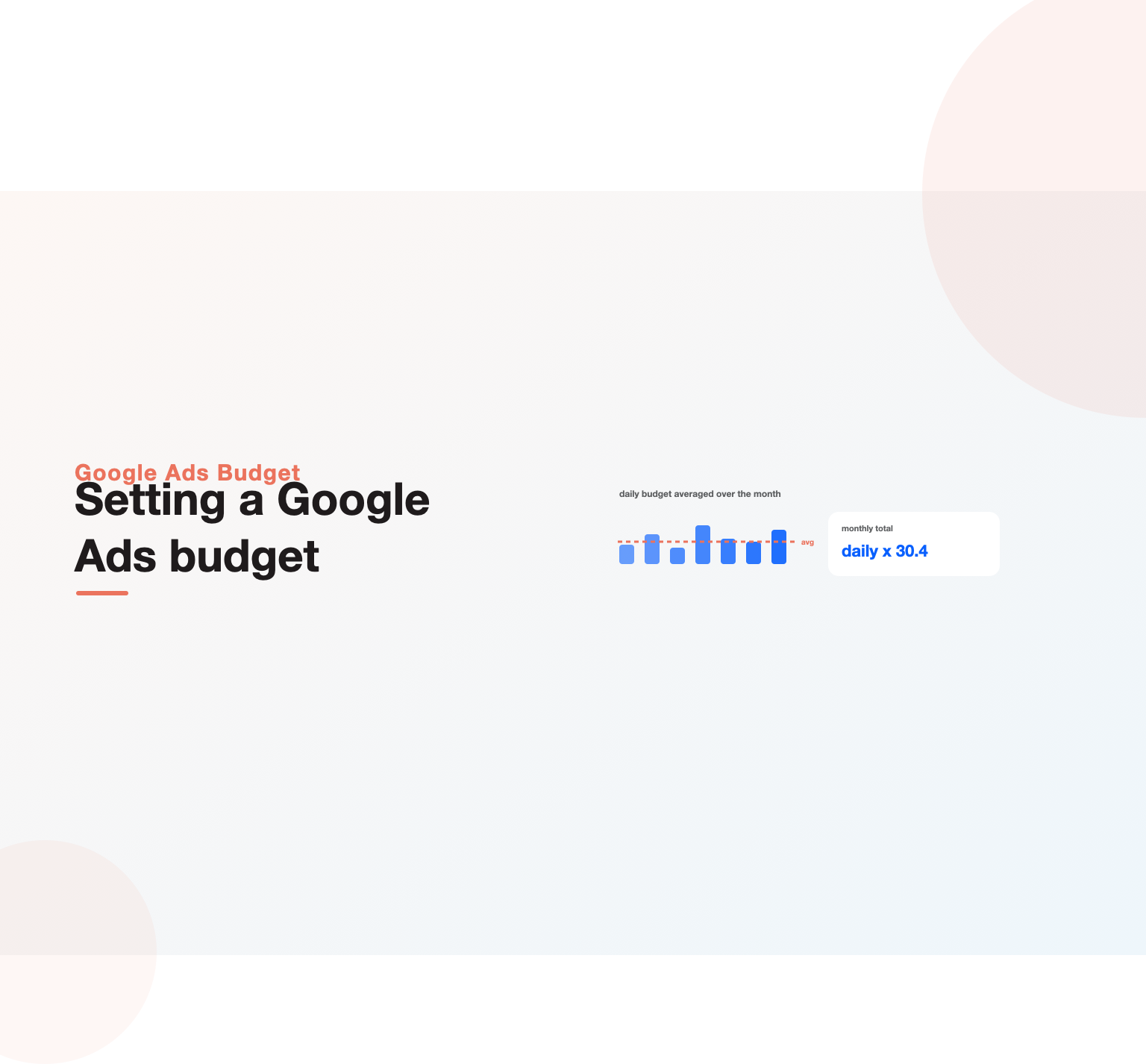
Understanding the mechanics matters before you settle on any number, because the platform does not spend the way most newcomers assume. When you set a daily budget, the system treats it as an average across the billing month rather than a strict ceiling for each day, so on days when high-value traffic is available it may spend noticeably more, and on quiet days noticeably less. Over a full month it aims to keep the average at your daily figure, which is why the effective monthly total works out to roughly your daily budget multiplied by 30.4. Advertisers who expect a hard daily cap are often alarmed by a single day of higher spend that is, in fact, working exactly as designed.
There are limits on how far this flexing goes, and the platform will not overspend the monthly equivalent, so the swings balance out rather than run away. Knowing this changes how you read daily reports: a spike is not necessarily a problem, and judging performance day by day rather than across the month leads to bad decisions. The practical takeaway is to think of your Google Ads budget in monthly terms, set the daily figure to hit the monthly total you actually intend, and evaluate results over weeks rather than reacting to the normal daily variation the averaging produces.
Deciding how much to spend
The most common budgeting mistake is picking a number that feels comfortable rather than one grounded in the economics of the business. A sound Google Ads budget is derived, not guessed, and the derivation starts from what a customer is worth to you. If you know the value of a converted customer and the rate at which clicks turn into customers, you can work out what you can afford to pay per click and per acquisition while staying profitable, and from there how much spend is required to hit a given number of new customers.
Working backward this way turns budgeting into a business calculation instead of a gamble. Decide how many conversions or customers you want in a period, multiply by your target cost per acquisition, and you have the spend required, which becomes your Google Ads budget for that goal. This approach also reveals when paid search simply will not work at your current numbers, if the affordable cost per click is far below what the market charges, the campaign cannot profit until conversion rate or customer value improves. Modeling this honestly before committing budget, rather than after, is what separates advertisers who scale profitably from those who quietly lose money, and it is central to any serious Google Ads management engagement.
Why a starved budget fails
Budget size interacts with how the platform learns, and too little spread too thin is a recipe for failure that has nothing to do with the ads themselves. Campaigns, and especially automated bidding strategies, need a flow of conversion data to optimize, and a budget so small that a campaign gathers only a handful of conversions a month never gives the system enough signal to improve. The campaign stays stuck in a learning state, spending inefficiently, because it cannot find the patterns that would let it bid smarter. This is why a thin budget scattered across many campaigns often performs worse than the same money concentrated on fewer.
The discipline that follows is focus. Rather than launching ten campaigns each starved of data, a limited budget does better funding one or two well enough that they gather meaningful conversion volume and can actually be optimized. As results prove out and budget grows, you expand into more campaigns, each funded to the level it needs. Matching the number of campaigns to the budget available, so each has enough to learn, is a core budgeting skill, and getting it wrong is why many well-built accounts underperform despite spending real money. Concentrating spend for signal is especially important in considered-purchase accounts like Google Ads for B2B companies, where conversions are fewer and each data point counts.
Splitting budget across campaigns
Once you know the total, how you divide it across campaigns decides how much return that total produces. The principle is simple to state and harder to practice: money should flow to where it earns the most. That means concentrating a larger share on the campaigns, keywords and audiences that produce conversions at an acceptable cost, and pulling budget away from those that spend without returning value. An account where every campaign gets an equal slice regardless of performance is leaving results on the table, because the strong campaigns are capped while the weak ones are funded.
Allocation is not a set-once decision either. High-performing campaigns are often limited by budget, meaning they could profitably spend more and are losing available conversions to the cap, while underperformers quietly consume spend that would work harder elsewhere. Spotting budget-limited winners and funding them, while trimming losers, is one of the highest-return moves in account management, and it is a recurring theme in any well-run Google Ads for SaaS program where a few campaigns drive most of the pipeline. Reviewing where the spend is going and steering it toward proven performers, continuously rather than once, is how the same total spend produces steadily better results.
Spending on Google Ads without enough leads to show for it?
Our team reviews your current setup and shows you where the opportunities are. See how our Google Ads management work.
Protecting budget from wasted spend
The fastest way to ruin the return on any budget is to let it leak into clicks that never convert, so control matters more than size. Broad and phrase match keywords, left unmanaged, match to irrelevant queries that drain spend, and every one of those clicks is budget spent on someone who was never going to buy. The single most effective protection is disciplined use of the search-terms report and a strong negative keyword list, the same waste-cutting move a thorough ad spend audit prioritizes, that stops irrelevant queries before they cost anything, a habit that recovers more wasted budget than almost any other action.
Other leaks matter too. Location settings that include people merely interested in an area rather than located in it, ad schedules that spend through unproductive hours, and campaigns targeting the wrong audiences all waste budget quietly. Auditing these settings and closing the leaks means the same spend buys more real prospects, which is often a bigger lever than adding spend. Building this control into the account from the start, and re-checking it regularly, protects the budget from the erosion that turns a profitable campaign into a break-even one. Where wasted spend has gone unchecked for a while, a focused ad spend audit is the quickest way to find and stop it.
Budget and bidding strategy together
Budget does not work in isolation; it pairs with the bidding strategy, and the two have to fit. Automated and smart bidding approaches, which optimize toward conversions or a target cost, need both enough budget and enough clean conversion data to function, so choosing an advanced bidding strategy on a tiny budget with few conversions sets it up to fail. On the other hand, a well-funded campaign with reliable conversion tracking can hand more control to automated bidding and often gets better results than manual management would.
The interaction runs the other way too: your bidding strategy influences how quickly the budget is spent and on what. A target cost-per-acquisition strategy will spend the budget chasing conversions at that cost, while a maximize-clicks approach will burn through it far faster on volume. Aligning the budget with a bidding strategy that suits the goal, and making sure both have the data they need, is what lets spend translate efficiently into results. Getting this pairing wrong is a common reason budgets underperform even when the number itself is reasonable, and sorting it out is a standard early step in professional account management.
Budgeting for different campaign types
Not every campaign type uses budget the same way, so a sensible plan accounts for their differences rather than treating all spend as interchangeable. Search campaigns targeting high-intent, bottom-of-funnel queries tend to be the most efficient use of budget for direct response, since they reach people actively looking to buy, which is why many accounts weight their spend toward search first. Shopping campaigns, for retailers, can be highly efficient too but behave differently and need their own allocation and management approach.
Broader types shift the calculus. Display, video and discovery campaigns reach people earlier in their journey and usually convert at lower rates, so budget assigned to them serves awareness and upper-funnel goals rather than immediate return, and should be sized and judged accordingly rather than held to the same cost-per-acquisition as search. Performance Max spans multiple channels and consumes budget across them, which demands careful monitoring to see where the spend actually goes. Deciding how to split the Google Ads budget across these types, according to what each is for, keeps expectations realistic and stops upper-funnel spend from being wrongly judged a failure. Retailers weighing this split will find the trade-offs sharper in ecommerce PPC management, where shopping and search compete for the same pool.
Scaling a budget that works
When a campaign is profitable, the instinct is to pour money in and scale fast, but budgets scale best deliberately rather than in one jump. Increasing a Google Ads budget too aggressively can push a campaign back into a learning phase and disrupt the performance that made it worth scaling, as the bidding system readjusts to the new spend level. Raising budget in measured steps, letting performance stabilize between increases, tends to preserve efficiency as spend grows, whereas doubling overnight often buys worse results at the higher level.
Scaling also means finding where the extra money can profitably go, which is not always simply more of the same. A budget-limited winner can take more spend directly, but beyond that, growth comes from expanding into new keywords, audiences, campaign types or markets that the proven approach can be extended to. Watching cost per acquisition as the budget rises tells you when you are reaching the limits of profitable scale, at which point improving conversion rate or customer value, rather than adding spend, becomes the way forward. Scaling with this discipline keeps a growing budget efficient instead of watching returns erode as the number climbs, a balance experienced Google Ads for real estate agents campaigns manage constantly as they expand into new areas.
Common budgeting mistakes
Several avoidable errors keep advertisers from getting value out of their spend regardless of how large it is. The most damaging is setting a budget with no connection to customer value or target cost per acquisition, so the number is arbitrary and there is no way to know whether it is too high, too low or simply wrong. Close behind is spreading a limited budget across too many campaigns, starving each of the data it needs, and its opposite, dumping budget into a single campaign without the controls to stop it leaking into wasted clicks.
Other frequent mistakes include reacting to normal daily spend variation as though it were a problem, judging upper-funnel campaigns by direct-response cost targets, scaling too fast and breaking a working campaign, and, most common of all, ignoring the search-terms report so the budget bleeds into irrelevant queries month after month. The pattern behind these errors is treating the budget as a fixed number to set and forget rather than a resource to manage against goals and data. Advertisers who fix the mindset, deriving the number, controlling the leaks and steering spend to performance, get far more from the same money, and it is the discipline our Google Ads audit guide is built to enforce.
Setting a starting budget for a new account
A brand-new account has no performance history to derive numbers from, so the first budget is necessarily an informed estimate rather than a precise calculation. The sensible approach is to fund enough to gather data quickly on the highest-intent search campaigns, because the fastest way out of guesswork is real conversion data from your own account. Starting too small stretches the learning period for months, since a campaign collecting only a few conversions takes a long time to reveal what works, whereas a starting budget that produces a steady trickle of conversions lets you optimize within weeks.
Use market benchmarks to sanity-check the estimate. Researching the typical cost per click in your industry, and pairing it with a realistic conversion-rate assumption, gives a rough sense, much as the planning in our Google Ads audit guide does, of the spend needed to generate a meaningful number of conversions per month, which becomes your opening figure. Treat the first month or two, whether you run search or ecommerce PPC, as a data-buying exercise as much as a results exercise, then recalculate the budget from your own real numbers once they arrive. Setting expectations this way, that the early spend is partly the price of learning, prevents the premature judgment that kills many accounts before they have had a fair chance to work.
Budgeting for seasonality and demand shifts
Demand for most products is not flat across the year, and a budget that ignores seasonality either misses opportunity or wastes money. When search demand for what you sell rises, a peak shopping season, a busy period in your industry, a moment when buyers are actively looking, that is when additional spend, guided by seasoned Google Ads management, earns the most, because the traffic is there and intent is high. Planning to lift the budget into those windows and pull it back in slow periods aligns spend with when it actually pays, rather than dribbling the same amount out regardless of demand.
Anticipation matters more than reaction here. Because bidding systems take time to adjust and competition intensifies during peaks, planning budget changes ahead of a known busy period works far better than scrambling once it has started. Reviewing the past year’s patterns, and any external calendar that drives your demand, lets you build a budget plan that breathes with the market. Advertisers who map spend to the demand curve consistently outperform those who set one flat number and leave it, because they concentrate money where the return is richest and avoid overpaying when buyers are not looking.
Tracking pacing and reviewing spend
A budget set once and never watched drifts away from its purpose, so regular review is part of budgeting rather than an extra. Monitoring how spend is pacing against the plan catches problems early: a campaign spending far faster than expected may be leaking into new wasted queries, while one underspending its budget may be limited by low bids or narrow targeting and missing available conversions. Checking pacing weekly, and against the monthly target rather than a single day, keeps the Google Ads budget on track and surfaces issues while they are still small.
Review is also where reallocation happens. Performance shifts over time as competition, seasonality and costs change, so the split that was right last quarter may be leaving money on the table now, and periodic reallocation toward what is currently working keeps the total spend efficient. Pairing this with attention to the wider picture, how paid search fits alongside other channels and where the credit for conversions really lies, is where careful marketing attribution informs smarter budgeting. Treating the budget as something you steer continuously, not a dial you set and abandon, is what keeps it producing results as conditions move.
Want your Google Ads managed for leads, not clicks?
Book a free 30-minute strategy call and leave with a clear next step for your business.
When to get help with budgeting
Many advertisers can manage a straightforward Google Ads budget themselves with the framework in this guide, deriving the number from customer value, funding campaigns for data, controlling waste and reviewing pacing. For a smaller account with a handful of campaigns, that self-management is entirely realistic and builds valuable understanding of where the money goes and why. The calculations are not complex; the discipline of doing them consistently is the hard part.
Outside expertise earns its keep as budgets and complexity grow. When spend reaches a level where small efficiency gains are worth real money, when campaigns span many types and markets, or when nobody in-house has time to manage pacing and allocation properly, professional management, the kind bundled into full-service SaaS paid search, usually pays for itself in reduced waste and better allocation. An experienced manager sizes budgets, splits them and protects them from leaks as a matter of routine, and can often improve the return on an existing Google Ads budget by enough to more than cover the cost of the help. Whether you manage it yourself or bring in a partner through comprehensive Google Ads services, the principles stay the same: derive the number, fund for data, control the leaks, steer toward performance, and review often.
One more habit separates advertisers who get the most from a budget: they connect spend to outcomes further down the funnel than the click. A budget judged only on cost per click flatters campaigns that buy cheap, low-quality traffic and punishes those that buy fewer but far better prospects, so the measure that matters is cost per acquisition and, ultimately, return on the spend. Tying the budget to revenue rather than clicks, and reviewing that link as part of every pacing check, keeps the money pointed at business results rather than vanity volume. For accounts weighing paid search against organic investment, the trade-offs in our SEO vs PPC comparison help set realistic expectations for what a given budget can achieve, and specialized verticals such as Google Ads for contractors show how sharply the right budget discipline changes results.
Key Takeaways
- Treat your daily Google Ads budget as a monthly average, not a hard cap, and judge results over weeks rather than reacting to daily swings.
- Derive the budget from customer value, target cost per acquisition and the number of conversions you need, never from a round guess.
- Fund campaigns well enough to gather conversion data; a budget spread too thin starves every campaign of the signal it needs to optimize.
- Concentrate spend on proven performers, fund budget-limited winners, and trim campaigns that spend without returning value.
- Protect the budget from wasted clicks with negative keywords and clean settings, since leaks ruin returns faster than any budget size can fix.
- Scale in measured steps and review pacing regularly, steering spend with the same discipline a managed Google Ads team applies.

Frequently asked questions
How does a Google Ads budget work?
You set a daily budget for each campaign, and the platform treats it as an average across the billing month rather than a strict daily limit. That means on days with more valuable traffic a campaign may spend above the daily figure, and on quiet days below it, while keeping the monthly average at your target. The effective monthly total is roughly your daily budget times 30.4, and the system will not exceed that monthly equivalent. Because of this averaging, you should set the daily number to reach the monthly total you intend and judge performance over the month rather than reacting to normal daily variation.
How much should I budget for Google Ads?
Derive the figure from your economics rather than guessing. Start with what a converted customer is worth and your conversion rate to work out an affordable cost per click and per acquisition, then decide how many conversions you want and multiply by your target cost per acquisition to get the spend required. That number is your budget for the goal. If the affordable cost per click is far below what your market charges, paid search will not profit until conversion rate or customer value improves, which is important to know before committing. Budgeting this way turns spend into a business calculation instead of a gamble.
What is a good daily budget for Google Ads?
There is no universal figure, because the right daily budget depends on your cost per click, how many conversions a campaign needs to optimize, and the monthly total your goals require. The more useful principle is to make sure each active campaign has enough budget to gather meaningful conversion data rather than being starved, since a campaign with only a handful of conversions a month cannot be optimized well. Practically, that often means funding fewer campaigns properly rather than spreading a small daily budget thinly across many. Set the daily number to reach your intended monthly spend on the campaigns that matter most.
Why is Google Ads spending more than my daily budget?
Because the daily budget is a monthly average, not a hard daily cap. On days when more high-value traffic is available, the platform may spend up to twice the daily figure, balancing it with lower spend on quieter days so the monthly average stays at your target. This is working as designed, and the system will not overspend the monthly equivalent of your daily budget. The right response is to view spend across the whole month rather than alarm at a single high day, and to set your daily budget so the resulting monthly total matches what you actually intend to spend.
How do I lower my Google Ads budget waste?
Focus on control before cutting the number. The biggest source of waste is irrelevant clicks from broad and phrase match keywords, so mine the search-terms report and build a strong negative keyword list to stop queries that will never convert. Then tighten settings that leak spend: location targeting that includes people merely interested in an area, ad schedules running through unproductive hours, and campaigns aimed at the wrong audiences. Verify conversion tracking so bidding optimizes toward real value, and concentrate budget on proven performers. Closing these leaks means the same budget reaches more genuine prospects, which usually beats simply spending more.
Should I increase my Google Ads budget?
Increase it when a campaign is profitable and budget-limited, meaning it could spend more at an acceptable cost per acquisition but is being capped, since that cap is losing you available conversions. Raise the budget in measured steps rather than all at once, because a large sudden increase can push the campaign back into a learning phase and disrupt the performance you were scaling. Watch cost per acquisition as spend grows to see when you are reaching the limit of profitable scale. Beyond that point, expanding into new keywords, audiences or markets, or improving conversion rate, is a better route than simply adding budget.
Ready to put this into practice?
Talk to the team that runs SEO, AI search and paid growth programs every day.
Book a Strategy Call →