 Skip to content

Negative Keywords in Google Ads: Stop Wasting Spend
Negative keywords stop your Google Ads showing on unwanted searches. Learn match types, how to find them in the search-terms report, where to apply them, and how to avoid over-blocking.
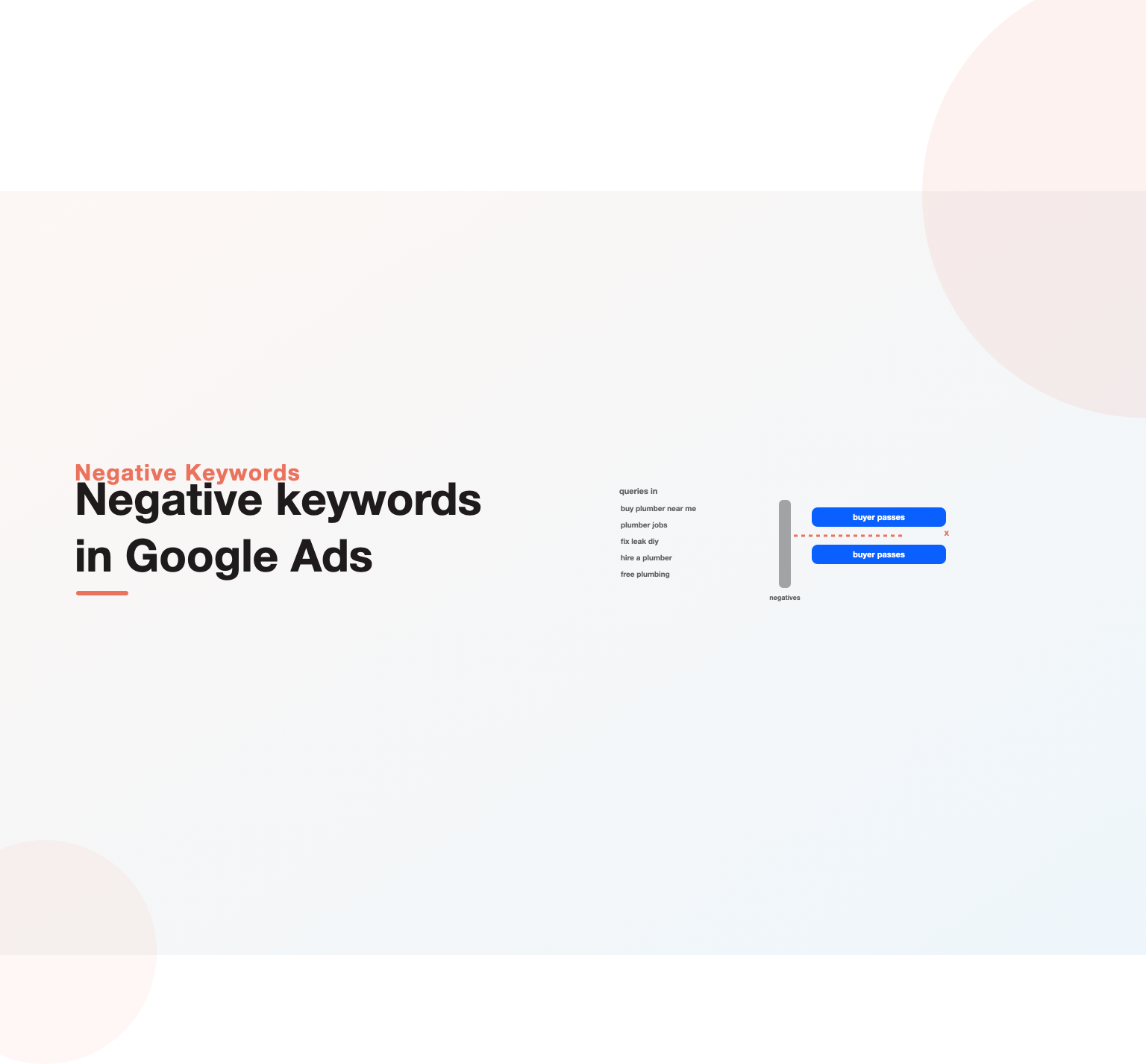 negative keyword filter blocking wasteful queries while buyer searches pass through”/>
Quick Answer
Negative keywords are terms you add to a Google Ads campaign to stop your ads from showing on searches you do not want, and they are the single most effective tool for cutting wasted spend in a paid-search account. Where regular keywords tell Google when to show your ads, negative keywords tell it when not to, filtering out the irrelevant, low-intent and off-target queries that would otherwise trigger your ads and drain your budget on clicks that never convert. A well-built negative keyword list protects your spend, sharpens your targeting, lifts your click-through rate and relevance, and lowers your cost per conversion, all without touching your bids or budget, which makes it one of the rare improvements that costs nothing to implement yet pays back immediately in recovered spend and sharper targeting. Building that list starts with the search-terms report, where you see the actual queries that triggered your ads and flag the ones to exclude, and it continues as an ongoing habit because new irrelevant searches appear constantly. This guide explains what negative keywords are, how match types work for them, how to find the right ones, how to organize them at the account and campaign level, and how to avoid the mistakes that either waste money or accidentally block traffic you wanted.
Key Highlights
- By stopping your ads on searches you do not want, negative keywords become the most effective tool for cutting wasted spend.
- The search-terms report is where you find them, revealing the actual queries that triggered your ads so you can exclude the irrelevant ones.
- Match types for negatives, broad, phrase and exact, control how strictly a query is blocked, so choosing the right one prevents over- or under-blocking.
- Exclusion lists can be applied at the account, campaign or ad-group level, letting you block globally or surgically.
- Adding negatives is an ongoing habit, not a one-time task, because new irrelevant searches appear as long as campaigns run.
- Careless negatives can block valuable traffic, so the goal is precision, cutting waste without cutting conversions.
What negative keywords do
Every paid-search account faces the same basic problem: the keywords you bid on, especially in broader match types, will match to searches you never intended, and each of those irrelevant matches costs money for a click that will not convert. These exclusions solve that problem by telling Google which terms should prevent your ad from showing, so a plumber can stop appearing for people searching how to fix a leak themselves, a saving that matters as much for a lean Google Ads for contractors account as for any other, and a premium brand can stop showing for cheap or free. In effect, negative keywords are how you draw the boundary around who you want to reach, excluding the searches that fall outside it.
The impact is larger than it first appears because wasted clicks do more than cost money directly. Irrelevant impressions and low click-through from off-target searches drag down the metrics that determine Quality Score, so waste raises costs indirectly as well as directly, and cutting it with negative keywords therefore improves efficiency on two fronts at once. A disciplined negative keyword strategy is consequently one of the highest-return activities in an account, which is why it sits near the top of any thorough Google Ads audit and forms a core habit in professional Google Ads management. Small, consistent additions to the list compound into meaningful savings over time. A single review might only add a handful of exclusions worth a modest amount, but repeated week after week across a busy account, those small cuts add up to a materially lower cost per conversion, which is why the advertisers who take this seriously treat it as routine maintenance rather than an occasional cleanup.
How negative keyword match types work
These exclusions have their own match types, and they behave differently from positive keyword match types in ways that matter, so understanding them prevents both wasted spend and accidental blocking. A negative broad match blocks searches that contain all your negative keyword terms in any order, but does not block close variants like misspellings or synonyms the way positive broad match expands, so it is broad in coverage but literal in wording. A negative phrase match blocks searches that contain your terms in the same order, and a negative exact match blocks only searches that are exactly your term, nothing more.
The practical consequence is that you must think carefully about scope when adding negative keywords. A negative exact match is surgical, blocking one precise query while leaving close variations live, which is useful when you want to exclude a single term without affecting related searches. A negative phrase or broad match casts a wider net, blocking many related queries at once, which is efficient but risks catching searches you actually wanted. Choosing the match type deliberately, tight where you need precision and broad where you want to sweep out a whole category of unwanted terms, is what makes a negative keyword list effective rather than blunt, and getting it wrong is a common source of either lingering waste or lost traffic.
Finding negatives in the search-terms report
The search-terms report is the heart of negative keyword work, because it shows the actual queries people typed that triggered your ads, as opposed to the keywords you bid on. This is where the gap between what you targeted and what you matched to becomes visible, and it is almost always revealing: irrelevant queries, wrong intent, informational searches from people not ready to buy, job seekers, students, and free-seekers all show up spending your budget. Working through this report and flagging the queries that should never have triggered an ad is how you find the negative keywords that will save the most money.
The discipline is to review the report regularly and act on it, not just glance at the top rows. Scanning the queries that have spent money, identifying those that do not match the intent you want, and adding them as negative keywords at the right level and match type turns the report from a record of waste into a tool for stopping it. Because this is where the largest, fastest savings usually hide, the search-terms review is the highest-return single habit in negative keyword management, and skipping it is why so many accounts leak budget month after month, a leak that a focused ad spend audit is built to find and stop.
Building a negative keyword list before you launch
While the search-terms report finds negatives after the fact, a good account also starts with a pre-emptive negative keyword list built from obvious exclusions before a single dollar is spent. Thinking through who you do not want to reach, and the terms those people search, lets you block predictable waste from day one rather than paying to discover it. A business selling premium services can pre-empt cheap, free and DIY searches; a business-to-business seller can block consumer terms; a specialist can exclude the adjacent categories it does not serve.
These starter negatives fall into recognizable groups worth brainstorming deliberately. Terms indicating the wrong intent, how-to, DIY, free, jobs, salary, tell you the searcher is not a buyer; terms for products or services you do not offer prevent matching to adjacent demand you cannot serve; and terms for the wrong audience or price point keep spend on your real market. Starting with a thoughtful pre-launch negative keyword list, then refining it with the search-terms report as real data arrives, gives a campaign a far more efficient start than launching wide open and paying to learn what you could have anticipated. This upfront discipline matters most where budgets are tight, as our Google Ads budget guide underlines.
Spending on Google Ads without enough leads to show for it?
Our team reviews your current setup and shows you where the opportunities are. See how our Google Ads management work.
Organizing negatives at the right level
Exclusions can be applied at different levels, account, campaign and ad group, and choosing the right level makes the list both powerful and manageable. Account-level negative keyword lists, applied across all campaigns, are ideal for terms you never want to appear for anywhere, brand-safety exclusions, entirely irrelevant categories, or consistently wasteful terms, because adding them once protects the whole account. Building and maintaining shared negative lists for these universal exclusions is efficient and keeps the account clean without repeating the same work in every campaign.
Campaign and ad-group level negatives handle more surgical needs. A term that is irrelevant to one campaign may be valuable in another, so blocking it only where it does not belong, rather than account-wide, preserves it where it works, and ad-group negatives can even steer traffic between ad groups by preventing overlap. This is where negative keywords become a structural tool, sculpting which searches reach which part of the account, not just blocking waste. Using the levels deliberately, universal exclusions at the account level and precise ones lower down, keeps the negative keyword strategy both comprehensive and surgical, a balance that disciplined accounts across verticals like Google Ads for B2B companies rely on to separate consumer from business intent.
Negatives for broad match and automated bidding
Exclusions matter most when you use broad match and automated bidding, because those approaches deliberately widen the net and the negatives are what keep the net disciplined. Broad match, which matches to a wide range of related and sometimes loosely related queries, can be efficient for discovery, but without a strong negative keyword list behind it, it sprays budget across searches with the wrong intent. The modern approach of using broad match with smart bidding relies on negatives to fence in the automation, letting it explore useful queries while blocking the wasteful ones it would otherwise chase.
This makes negative keywords the essential counterweight to automation rather than an optional add-on. As accounts lean more on broad match and automated bidding to find conversions, the search-terms report and the negative list become the primary levers an advertiser still directly controls, and neglecting them lets the automation waste money efficiently. Those who embrace broad match and smart bidding while maintaining a rigorous, constantly updated negative keyword list get the discovery benefits without the waste, while those who go broad without negatives often see costs balloon, which is exactly the dynamic ongoing Google Ads optimization is meant to manage.
Avoiding over-blocking
As powerful as negative keywords are for cutting waste, careless use can block valuable traffic, so precision matters as much as coverage. The most common over-blocking mistake is a negative broad or phrase match that is wider than intended, catching profitable searches along with the unwanted ones, so a negative keyword meant to block one irrelevant term quietly suppresses a whole set of valuable queries. Because blocked searches simply do not appear in reports, this kind of over-blocking is easy to miss, silently starving the account of conversions it should have won.
Guarding against it means adding negative keywords thoughtfully and reviewing their effect. Before adding a broad negative, considering what else it might block, and preferring a tighter match type when a term could appear in valuable searches, prevents accidental suppression. Periodically reviewing performance for unexpected drops in volume can reveal an over-aggressive negative that is quietly costing conversions. The goal of a negative keyword strategy is to cut waste without cutting results, and that balance requires treating negatives with the same care as positive keywords rather than blocking indiscriminately, a discipline that a careful reviewer weighs on every addition just as they would for a nuanced account such as Google Ads for SaaS.
Making negatives an ongoing habit
The biggest reason accounts waste money on irrelevant searches is not ignorance of negative keywords but failure to maintain them, because new wasteful queries appear for as long as a campaign runs. Search behavior shifts, new products and trends spawn new irrelevant searches, and broad match keeps finding fresh queries to match to, so a negative keyword list built once and never updated slowly loses its grip as the searches it was blocking are replaced by new ones it never anticipated. Treating negatives as an ongoing habit rather than a one-time setup is what keeps an account efficient over time.
The practical rhythm is a regular search-terms review, weekly or at least monthly depending on spend, in which you scan recent queries, flag the new irrelevant ones, and add them to the list at the appropriate level and match type. This steady maintenance catches waste while it is small and keeps the account’s targeting sharp as the market moves, and it compounds, since each review builds on the last. Teams that build this habit keep their cost per conversion trending down, while those who set up negative keywords once and forget them watch waste slowly creep back, the same pattern that separates maintained accounts from neglected ones across every channel, and it is reinforced when sound marketing attribution keeps the whole effort honest by showing which searches genuinely produce customers and which merely spend the budget.
Positive and negative keywords working together
Negatives are only half of a targeting strategy, and they work best understood as the partner to your positive keywords rather than a separate chore. Positive keywords open the door to a range of searches, and negatives close the door on the unwanted ones that come through with them, so the two together define exactly the traffic you pay for. An account that adds keywords aggressively but neglects exclusions ends up matching far more than it intended, while one that balances the two captures the valuable searches and screens out the rest, which is the whole point of precise targeting.
This partnership also shapes how you expand. When you add broader positive keywords or lean on broad match to discover new queries, you deliberately widen the net, and that is exactly when a strong exclusion list matters most, because discovery without screening is just waste. Treating every expansion of your positive keywords as a prompt to review and strengthen your exclusions keeps growth disciplined, so the account reaches further without spending more on the wrong searches. Teams that manage both sides in tandem, rather than obsessing over keywords while ignoring exclusions, run tighter, more efficient accounts, a balance that matters as much in a lean ecommerce PPC management setup as in any lead-generation account.
Measuring the impact of your exclusions
It helps to treat exclusion work as something you measure, not just something you do, so you can see whether it is paying off. The clearest signal is a falling share of spend on irrelevant queries in the search-terms report, followed by improvements in click-through rate, Quality Score and cost per conversion as wasted impressions disappear. Watching these move after a serious cleanup confirms the work is landing, and it turns a vague sense of tidying the account into a concrete performance gain you can point to.
Measurement also guards against going too far. Alongside the metrics that should improve, keep an eye on total conversion volume and impression share for your valuable searches, because a sudden drop can signal that an exclusion is quietly blocking traffic you wanted. Reading both sides together, waste falling on one hand, valuable volume holding on the other, tells you the exclusions are precise rather than blunt. This habit of measuring the effect of the work, rather than assuming more blocking is always better, is what keeps the strategy pointed at the real goal of cutting waste while protecting results, and it fits naturally into the same reviews that guide a considered Google Ads budget.
Common negative keyword mistakes
Several recurring errors keep advertisers from getting the full benefit of negative keywords. The most common is simply not maintaining them, doing an initial pass and then never returning to the search-terms report, so waste accumulates unchecked. Close behind is over-blocking with negatives that are broader than intended, quietly suppressing valuable searches that never show up as a visible problem. Choosing the wrong match type, using a broad negative where an exact one was needed or the reverse, causes both these issues, either letting waste through or blocking too much.
Other frequent mistakes include applying negatives at the wrong level, blocking account-wide a term that was valuable in another campaign, forgetting to add negatives when running broad match and automated bidding, and neglecting to build a pre-launch list so a campaign pays to discover obvious exclusions. The thread through these errors is treating negative keywords as an afterthought rather than a core, ongoing part of managing an account. Advertisers who build thoughtful lists, choose match types deliberately, apply them at the right level, and maintain them continuously turn negative keywords into a powerful engine of efficiency, while those who neglect them leave one of the easiest sources of savings untapped, a gap our Google Ads audit reliably surfaces.
Want your Google Ads managed for leads, not clicks?
Book a free 30-minute strategy call and leave with a clear next step for your business.
Negatives in shopping and other campaign types
Exclusion work is not confined to standard search campaigns; it matters across the account, though it takes a different shape in each type. In shopping and retail campaigns, where you cannot bid on keywords directly, negatives are one of the few levers you have to control which searches trigger your product ads, so a strong exclusion list is essential for stopping your products from showing on irrelevant or low-intent queries. Retailers who neglect this let their feed match to searches that will never buy, and the waste can be substantial given how broadly shopping ads can surface, a discipline central to serious ecommerce PPC management.
Even in the more automated campaign types, where direct control is limited, the exclusions you can apply remain a meaningful guardrail, especially for keeping automation away from your own branded terms and obviously irrelevant categories. The principle holds across every type: wherever an ad can be triggered by a search, an exclusion list is how you keep that triggering disciplined. Those who apply this thinking account-wide, rather than only in their search campaigns, close leaks others miss entirely, and doing so consistently is part of the steady Google Ads optimization that keeps a whole account efficient rather than just its most visible parts, whatever the vertical, from retail to Google Ads for real estate agents.
When to get help managing negatives
Maintaining negative keywords is well within reach of a capable marketer, and for a smaller account, regularly reviewing the search-terms report and adding sensible exclusions is a straightforward, high-return habit anyone can build. Doing it yourself keeps you close to what your account is actually matching to, which is valuable insight into your customers and your waste. The core discipline, review the report, add the right negatives at the right level, avoid over-blocking, is more about consistency than complexity.
Expert help earns its keep as accounts grow, when large budgets make small efficiency gains worth real money, when broad match and automated bidding demand rigorous negative management, or when nobody in-house has time to review search terms consistently. An experienced manager maintains comprehensive negative keyword lists as routine, catches the over-blocking and match-type subtleties a generalist misses, and keeps waste continuously in check, so folding negative management into ongoing Google Ads services often pays for itself in recovered budget. Whichever route you take, the essentials stay the same: find negatives in the search-terms report, choose match types deliberately, apply them at the right level, avoid over-blocking, and keep the list updated as a permanent habit. Several of the best PPC tools automate search-term mining for negatives.
Key Takeaways
- By stopping ads on unwanted searches, negatives are the single most effective tool for cutting wasted spend.
- Find them in the search-terms report, where the actual queries that triggered your ads reveal what to exclude.
- Choose negative match types deliberately, tight for precision and broader to sweep out categories, to avoid over- or under-blocking.
- Apply negatives at the account level for universal exclusions and lower down for surgical, campaign-specific ones.
- Negatives are the essential counterweight to broad match and automated bidding, keeping the net disciplined.
- Maintain the list continuously and avoid over-blocking, applying the same ongoing rigor a Google Ads optimization routine demands.

Frequently asked questions
What are negative keywords in Google Ads?
Negative keywords are terms you add to a campaign to stop your ads from showing on searches you do not want. Where regular keywords tell Google when to show your ads, negative keywords tell it when not to, filtering out irrelevant, low-intent or off-target queries that would otherwise trigger your ads and waste budget on clicks that never convert. For example, a premium brand might add free and cheap as negatives, and a service business might block DIY and how-to searches. A well-built negative keyword list protects spend, sharpens targeting, and lowers cost per conversion, making it one of the most effective tools available for improving account efficiency.
How do I find negative keywords?
The main source is the search-terms report, which shows the actual queries people typed that triggered your ads, as opposed to the keywords you bid on. Reviewing it reveals the gap between what you targeted and what you matched to, exposing irrelevant queries, wrong intent, and off-target searches spending your budget. Scan the queries that have cost money, flag the ones that should never have triggered an ad, and add them as negatives at the right level and match type. Alongside this, build a pre-launch list from obvious exclusions, terms for the wrong intent, audience or price point, to block predictable waste before it happens.
What are negative keyword match types?
Negative keywords have broad, phrase and exact match types that behave differently from positive ones. A negative broad match blocks searches containing all your terms in any order, but unlike positive broad match it does not expand to close variants or synonyms. A negative phrase match blocks searches containing your terms in the same order, and a negative exact match blocks only searches that are exactly your term. The practical point is scope: exact is surgical, blocking one precise query, while phrase and broad cast wider nets that are efficient but risk catching valuable searches. Choosing the match type deliberately is what keeps a negative list effective rather than blunt.
Can negative keywords hurt my campaigns?
Yes, if used carelessly, which is why precision matters. The main risk is over-blocking, adding a negative broad or phrase match wider than intended that catches profitable searches along with the unwanted ones. Because blocked searches do not appear in reports, this silent suppression is easy to miss while it quietly starves the account of conversions. To avoid it, consider what else a broad negative might block before adding it, prefer a tighter match type when a term could appear in valuable searches, and periodically review for unexpected drops in volume that might signal an over-aggressive negative. The goal is to cut waste without cutting the results you wanted.
Where should I add negative keywords?
Negatives can be applied at the account, campaign or ad-group level, and the right choice depends on scope. Account-level negative keyword lists apply across all campaigns and are ideal for terms you never want to appear for anywhere, such as brand-safety exclusions or entirely irrelevant categories. Campaign-level negatives handle terms irrelevant to one campaign but valuable in another, preserving them where they work. Ad-group negatives are the most surgical, useful for steering traffic between ad groups and preventing overlap. Using the levels deliberately, universal exclusions at the account level and precise ones lower down, keeps the strategy both comprehensive and surgical rather than blunt or repetitive.
How often should I update negative keywords?
Treat it as an ongoing habit rather than a one-time task, because new irrelevant searches appear for as long as campaigns run. A good rhythm is a regular search-terms review, weekly or at least monthly depending on spend, in which you scan recent queries, flag new irrelevant ones, and add them to the list at the appropriate level and match type. This steady maintenance catches waste while it is small and keeps targeting sharp as search behavior shifts and broad match finds fresh queries. Accounts that maintain negatives consistently keep cost per conversion trending down, while those that set them up once and forget watch waste slowly creep back over time.
Ready to put this into practice?
Talk to the team that runs SEO, AI search and paid growth programs every day.
Book a Strategy Call →