 Skip to content


Enterprise SEO Audit: A Step-by-Step Guide for Large Websites
How to run an enterprise SEO audit on a large site: crawl budget and log files, indexation, rendering, template-level content, internal links, and a prioritized roadmap teams will ship.
Quick Answer
An enterprise SEO audit is a structured review of a large website, usually tens of thousands to millions of URLs, that finds what stops search engines from crawling, indexing and ranking the pages that earn revenue. It differs from a normal site audit in three ways: it works from samples, templates and log files instead of page-by-page checks, it covers governance across many teams and properties, and it ends with a prioritized roadmap tied to business value rather than a long list of warnings. A good one takes four to eight weeks and answers one question: which fixes will move organic revenue most, and who owns each one?
Key Highlights
- Why large sites need a different audit method, and the point at which a standard checklist stops working.
- A seven-phase process, from scoping and data collection to the roadmap your engineering teams will actually ship.
- How to audit crawl budget, indexation and rendering with server logs and Search Console data, not just crawler output.
- Template-level content and internal linking analysis that finds problems affecting thousands of pages at once.
- A simple impact-versus-effort scoring model that turns findings into a ranked backlog.
- The governance gaps that cause most enterprise SEO losses, and how to close them.
What an enterprise SEO audit is, and what it is not
Most audit guides assume a site you can crawl in an afternoon and fix in a sprint. That breaks down quickly once a site passes a few thousand URLs, runs on several platforms, or is owned by more than one team. An enterprise SEO audit keeps the same goal, finding what holds organic performance back, but changes the method so it works at scale and inside a large organization.
It is not a crawler export. Every enterprise site produces hundreds of thousands of crawler warnings, and most of them do not matter. Handing a team a spreadsheet of 400,000 missing alt attributes does not improve rankings; it buries the three issues that do. It is also not a one-off technical check. Large sites change every week as product, content and engineering teams ship releases, so the audit has to look at how SEO decisions get made, not just at the current state of the code.
What the audit should produce is simple to describe: a clear diagnosis of where organic traffic and revenue are being lost, evidence for each finding, a size estimate for each fix, and an owner for each item. If the output cannot be turned into tickets, it is not finished. For the wider context of running search programs at this scale, our guide to enterprise SEO covers strategy, teams and budgets.
When a site needs an enterprise SEO audit
Page count is the usual trigger, but it is not the only one. WebFX and others put the line at roughly 1,000 pages, which is a fair starting point. In practice a site needs the enterprise approach when any of these apply:
- Scale: more than about 10,000 indexable URLs, or a faceted catalog that can generate millions of parameter combinations.
- Templates: most pages are generated from a small number of templates, so a single bug repeats across thousands of URLs.
- Several properties: multiple domains, subdomains, country sites or brands that share code or content.
- Several owners: product, content, engineering, legal and regional teams can all change pages without an SEO review.
- Complex stacks: JavaScript frameworks, headless CMS setups, CDNs with edge rules, or a recent or planned platform migration.
- Revenue at stake: organic search drives a material share of pipeline or sales, so a two-percent drop is worth a serious investigation.
If two or more of these are true, a standard SEO audit checklist will still help with individual pages, but it will miss the systemic issues that cause most of the loss.
How an enterprise SEO audit differs from a standard audit
| Area | Standard audit | Enterprise approach |
|---|---|---|
| Crawling | Full crawl of every URL | Segmented crawls by section and template, plus sampling |
| Evidence | Crawler warnings | Server logs, Search Console, analytics and revenue data combined |
| Unit of analysis | Individual page | Template, page type and site section |
| Prioritization | Severity labels from the tool | Impact on revenue against engineering effort |
| Output | List of issues | Roadmap with owners, tickets and success measures |
| Scope | On-site technical and content | Also governance, release process and team workflows |
The biggest shift is the unit of analysis. On a 500-page site you fix pages. On a 500,000-page site you fix templates, rules and processes, because that is where one change can repair or break tens of thousands of URLs at once.
Scope the audit around business goals
Start with the business, not the crawler. Agree with stakeholders which sections of the site make money, which markets matter most, and what has changed recently. An enterprise SEO audit for a retailer will focus on category and product templates; one for a B2B software company will focus on solution pages, documentation and the blog; one for a publisher will focus on article templates, pagination and news indexing.
Useful scoping questions include:
- Which page types drive organic revenue, leads or sign-ups today?
- Which properties, subdomains and country sites are in scope, and which are excluded?
- Have there been migrations, redesigns, CMS changes or traffic drops in the last 18 months?
- Which teams can change templates, content, redirects and robots rules?
- What engineering capacity exists to ship fixes in the next two quarters?
Write the answers into a one-page brief. It keeps the audit focused and stops it turning into a catalog of every minor issue. It also gives you the context to explain later why a finding matters.
Collect the data that a crawler cannot see
A crawler shows what a bot could find by following links. It does not show what Google actually crawls, what it indexes, or what makes money. Enterprise audits combine several sources:
- Server log files: at least 30 days, ideally 90, filtered to verified Googlebot requests. Logs show where crawl activity really goes.
- Google Search Console: performance data by page and query, the page indexing report, crawl stats and sitemaps. Large sites should export through the API, since the interface caps rows.
- Analytics: organic sessions, conversions and revenue by landing page and page type.
- Segmented crawls: one crawl per major section or template, with JavaScript rendering on for the sections that need it.
- XML sitemaps: every sitemap file, so you can compare what the site declares with what is crawled and indexed.
- Backlink data: from a tool such as Ahrefs or Semrush, mainly to spot lost links, toxic patterns and pages with authority but no internal links.
- Rank tracking: for a representative keyword set across each page type and market.
Join these sources on URL and tag every URL with its template and section. That single table, with a row per URL and columns for crawl hits, indexing status, clicks, conversions and template, is the foundation of the whole audit. If you need help choosing platforms for this, our review of enterprise SEO software compares the main options.
Not sure why your pages are not ranking or bringing enquiries?
Our team reviews your current setup and shows you where the opportunities are. See how our SEO services work.
Check crawling and crawl budget
Crawl budget is rarely a concern on small sites. Google’s own guidance on managing crawl budget for large sites says it matters mainly for sites with a very large number of pages or pages that change often. That is exactly the enterprise case.
Use the log data to answer four questions:
- Where does crawl activity go? Group Googlebot hits by section and template. If faceted URLs, internal search pages or tracking parameters take a large share, crawl capacity is being wasted.
- Are revenue pages crawled often enough? Set crawl frequency for top-earning templates against low-value ones. Important pages that Google visits once a month will be slow to reflect price, stock or content changes.
- Which URLs are crawled but not linked? Orphan URLs that still receive crawl hits often point to old sitemaps, legacy redirects or external links that need cleanup.
- What response codes does Googlebot see? Spikes in 5xx errors or slow responses reduce how much Google is willing to crawl. Redirect chains waste requests on every hop.
Common fixes include blocking low-value parameter patterns in robots.txt, adding nofollow and noindex rules to infinite filter combinations, removing internal links to redirected URLs, and serving fast, consistent responses to bots. One caution: robots.txt blocks crawling but not indexing, so pages you want removed from the index need a noindex tag that Google can crawl first.
Indexation and canonicalization
Indexation is where most enterprise losses become visible. Compare three sets of URLs: those you want indexed, those in your sitemaps, and those Google reports as indexed. The gaps between them tell you where to look.
- Wanted but not indexed: check the Search Console reasons. “Discovered, currently not indexed” usually points to crawl priority or weak internal links. “Crawled, currently not indexed” usually points to thin or duplicate content.
- Indexed but not wanted: parameter URLs, staging hosts, print versions, internal search results and old campaign pages that dilute quality signals.
- Canonical conflicts: pages where the declared canonical, the sitemap URL and the URL Google chose do not match. These are common after migrations and on sites with several URL formats.
- International setups: hreflang tags must be reciprocal and point to indexable, canonical URLs. Errors here can send users in one market to another market’s pages.
Work at template level. If 40,000 product pages share a canonical bug, that is one fix, not 40,000. Sample 50 to 100 URLs per template with the URL Inspection tool or its API to confirm what Google sees before you write the ticket.
Test rendering, performance and page experience
Many enterprise sites rely on JavaScript to render content, links or structured data. If the rendered page differs from the raw HTML, Google may index less than you expect, and other search and AI crawlers that do not render JavaScript may see almost nothing. Compare raw and rendered HTML for each key template, and check that main content, internal links, canonical tags and structured data are present without client-side execution where possible. Our guide to JavaScript SEO covers the testing method in detail.
For performance, use field data rather than lab scores alone. The Chrome UX Report and the Core Web Vitals report in Search Console show real user experience by URL group, which maps neatly onto templates. Google’s documentation on Core Web Vitals explains the three metrics and their thresholds: Largest Contentful Paint, Interaction to Next Paint and Cumulative Layout Shift. Focus on templates with both poor scores and high organic traffic, since that is where improvements pay back. Our Core Web Vitals guide lists the fixes that usually move each metric.
Also check mobile parity. Google indexes the mobile version of pages, so any content, links or structured data missing on mobile templates are effectively missing from the index.
Audit content and on-page signals by template
Content audits on large sites work best by page type. For each template, review a sample of high-traffic, mid-traffic and zero-traffic pages and score them against the pages that rank above you.
Questions to answer for each template:
- Do titles, H1s and meta descriptions follow a pattern that includes the terms people search, or are they generic?
- Is there enough unique, useful content on each page, or do thousands of pages share the same boilerplate with one variable changed?
- Are several pages competing for the same query? Keyword cannibalization is common where product, category and blog teams publish independently.
- Does the structured data match the page type, validate without errors and reflect visible content? The schema.org vocabulary and Google’s rich result documentation define what is eligible.
- Does content show real expertise and first-hand experience, with named authors and clear sourcing, especially in finance, health and legal topics?
For thin or overlapping pages, the options are improve, merge, redirect or noindex. Base the choice on traffic, links and business value, not on word count alone. Pruning thousands of low-value pages can lift the rest of a section, but only when the pages removed truly had no value. Our on-page SEO guide covers the page-level checks in more depth.
Map internal linking and site architecture
On large sites, internal links decide which pages Google finds, how often it returns, and how authority flows. They are also one of the few levers the SEO team can often change without a full engineering project.
Build a link graph from your crawl and look for:
- Click depth: important pages more than three or four clicks from the homepage get crawled less and tend to rank worse.
- Orphan pages: pages in sitemaps or receiving traffic that no internal link points to.
- Authority sinks: pages with strong backlinks that link nowhere useful, or navigation that spends most links on low-value pages.
- Anchor text: generic anchors such as “click here” or “learn more” across templates, where descriptive anchors would help.
- Pagination and facets: whether category pages expose deeper products through crawlable links or hide them behind scripts and filters.
Fixes at template level, such as related-product modules, breadcrumbs, hub pages and contextual links from editorial content, can change crawl patterns across a whole section within weeks. Our internal linking guide explains how to plan these modules.
Off-site signals and backlink review
Backlinks matter, but in an enterprise SEO audit they are usually a smaller workstream than technical and content issues. Focus on three checks. First, find pages with valuable external links that now return 404 errors or redirect chains, and restore or redirect them to the best current equivalent. Second, look for sudden link losses after migrations or domain changes. Third, review whether links from partners, press and subsidiaries point at the right pages. A full link-building program is a separate project; our guide to link building strategies covers that work.
Search visibility beyond the ten blue links
An audit today should also check how the site appears in AI Overviews and AI assistants. These systems still rely on crawlable, indexable, well-structured content, so most of the work overlaps with the phases above. Add a short review of which important queries trigger AI answers, whether your pages are cited, and whether your robots rules block crawlers you want to allow. Our guide on how to optimize for Google AI Overviews goes further on this.
Turning findings into a prioritized roadmap
This is the step most audits skip, and it is the one that decides whether anything changes. Score each finding on four factors:
| Factor | Question | Scale |
|---|---|---|
| Reach | How many URLs or how much organic revenue does it affect? | 1 to 5 |
| Impact | How much will fixing it change crawling, indexing or rankings? | 1 to 5 |
| Confidence | How strong is the evidence from logs, Search Console and tests? | 1 to 5 |
| Effort | How many engineering or content days will it take? | 1 to 5, lower is easier |
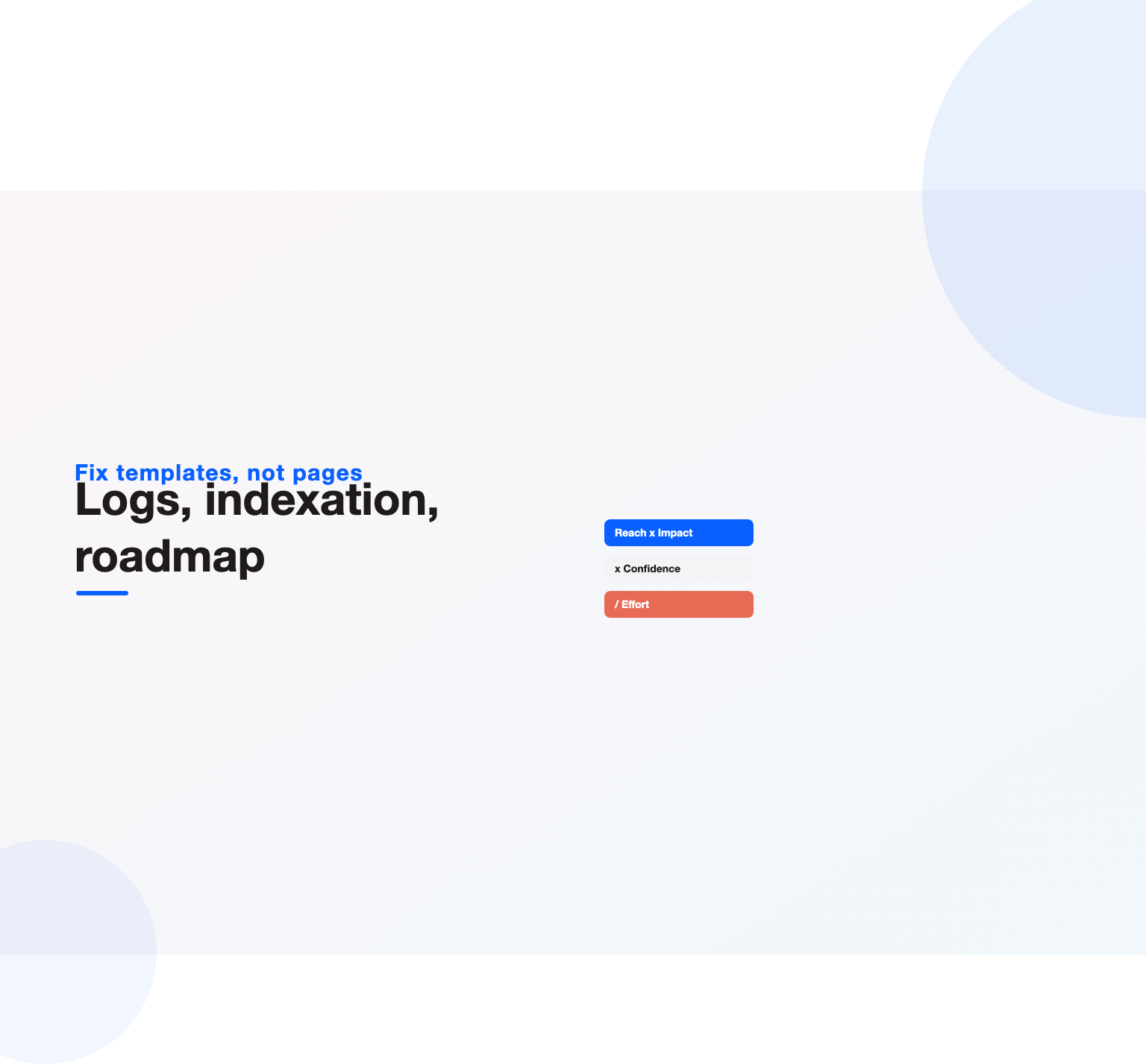
Multiply reach, impact and confidence, then divide by effort. Sort by the result. The top of the list is your first quarter. Group items into three bands: quick wins that the SEO or content team can ship alone, template fixes that need one engineering sprint, and platform projects that need a roadmap slot.
For each item, write the ticket the way engineering expects: the problem, affected URLs or templates, evidence, the exact change requested, acceptance criteria and how success will be measured. Search Engine Journal frames its enterprise SEO audit checklist around directing time and budget toward the biggest-impact changes, and that is the right test for every line in the roadmap.
A worked example: auditing a 300,000-page retailer
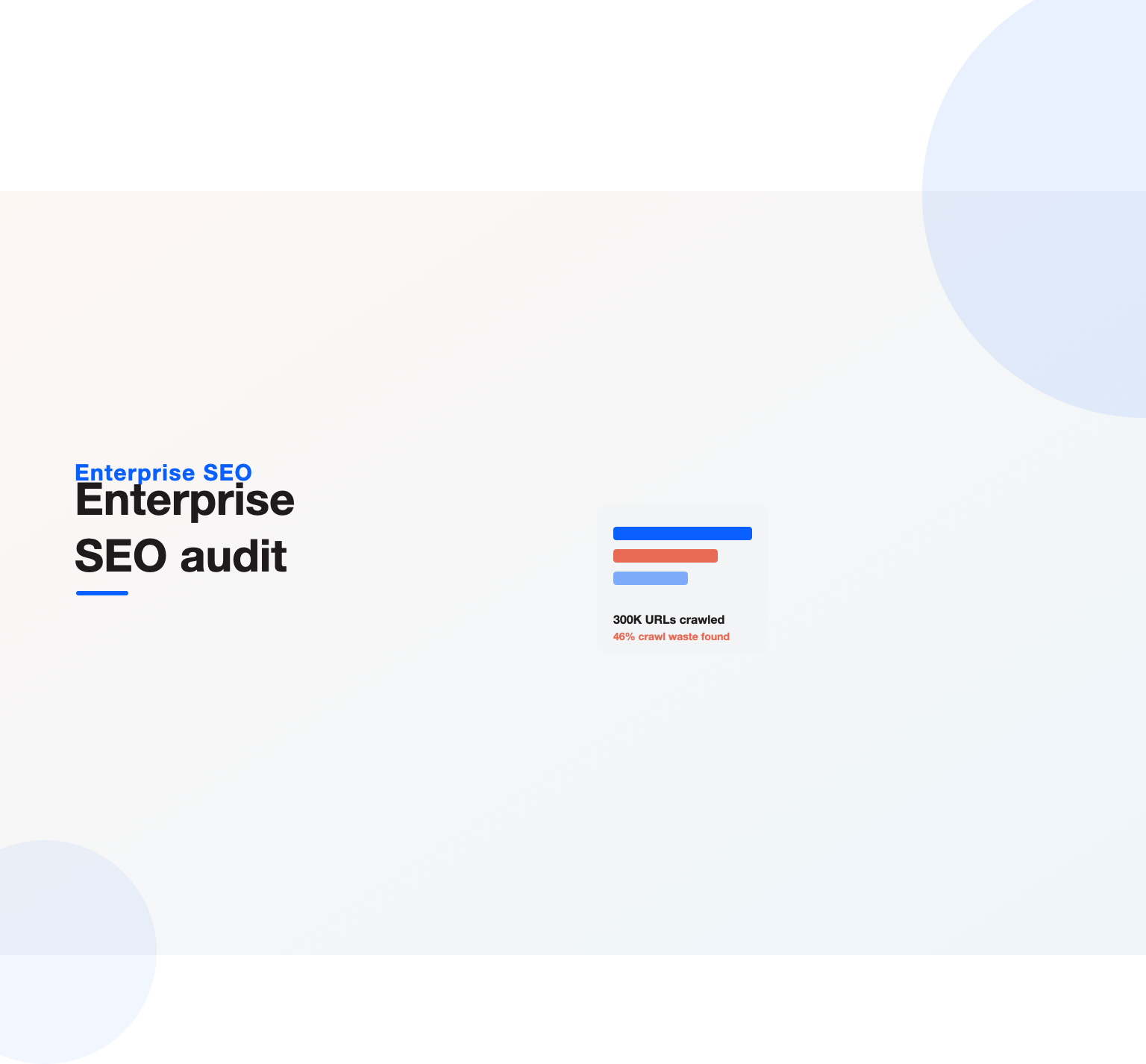
Here is an illustrative case based on patterns we see often: a US home goods retailer with about 300,000 indexable URLs, of which 12,000 are category pages and the rest are products. Organic revenue had been flat for a year despite new content. Logs showed that 46 percent of Googlebot requests went to filter combinations such as color plus size plus price, while product pages added in the last 90 days averaged one crawl a month. Search Console listed 61,000 product URLs as discovered but not indexed.
The fixes were three template changes rather than thousands of page edits: blocking crawl of filter combinations beyond one attribute, adding a “new arrivals” module to every category page, and removing internal links to 9,000 redirected URLs. Within ten weeks, crawl share on products roughly doubled and most of the discovered URLs moved into the index. That is the pattern a good enterprise SEO audit looks for: one rule that repairs a whole section.
Governance: the part of the audit most teams skip
Many enterprise SEO problems come back after they are fixed, because the process that caused them is still in place. A release removes canonical tags, a regional team launches a microsite without redirects, or a CMS update changes URL formats. The audit should review how changes reach production.
- Is there an SEO review step in the release process for templates, redirects and robots rules?
- Are there automated checks in staging or CI for noindex tags, canonicals, status codes and structured data?
- Is there a single owner for robots.txt, sitemaps and redirect maps?
- Do content teams have briefs and guidelines so they do not create duplicate or competing pages?
- Is there monitoring that alerts the team when indexed pages, crawl rate or organic traffic drop sharply?
Recommendations here are often cheap and have the longest-lasting effect. A simple pre-release checklist and an automated crawl of staging can prevent the next six-figure traffic loss.
Want a team to run this SEO work for you?
Book a free 30-minute strategy call and leave with a clear next step for your business.
Reporting results to stakeholders
Different readers need different versions of the findings. Executives need a one-page summary: what is at risk, what the fixes are worth, and what resources are required. Engineering needs tickets with evidence and acceptance criteria. Content and regional teams need guidelines and examples. Present the same audit three ways rather than sending everyone a 90-page document.
Tie every finding to a metric the business already tracks, such as organic revenue, qualified leads or sign-ups, and show the baseline. After fixes ship, report on indexed pages, crawl activity on priority templates, impressions, clicks and conversions for the affected sections. Our guide to SEO reporting covers dashboards and cadences.
Tools for an enterprise SEO audit
No single tool covers everything. A typical stack includes:
- Crawlers: Screaming Frog for segmented desktop crawls, or cloud crawlers such as Lumar, Botify or Oncrawl for very large sites and scheduled crawls.
- Log analysis: Screaming Frog Log File Analyser, Botify, Oncrawl, or log data loaded into BigQuery or a similar warehouse.
- Google data: Search Console, its API and bulk data export to BigQuery, plus the URL Inspection API for sampling.
- Performance: PageSpeed Insights, the Chrome UX Report and Lighthouse for lab tests.
- Keyword and link data: Ahrefs, Semrush or similar.
- Platforms: BrightEdge, Conductor or seoClarity for ongoing monitoring and reporting across large keyword sets.
The tools matter less than the joined dataset. Any audit built on one crawl export will always miss what logs and Search Console reveal.
How long an enterprise SEO audit takes
For a site of 50,000 to 500,000 URLs, plan on four to eight weeks:
- Week 1: scoping, access to logs, Search Console, analytics and staging.
- Weeks 2 and 3: data collection, segmented crawls and joining datasets.
- Weeks 3 to 5: analysis of crawling, indexation, rendering, content, links and governance.
- Weeks 5 to 6: scoring, roadmap and ticket writing.
- Weeks 6 to 8: stakeholder presentations and handover to delivery teams.
Log access is the most common delay. Request it on day one, since security and infrastructure teams often need weeks to approve it.
Common mistakes in enterprise audits
- Reporting every crawler warning. Volume is not insight. Filter to issues that affect revenue templates.
- Skipping log files. Without logs, you are guessing how Google spends its crawl on your site.
- Working page by page. On large sites, fix the template and the rule, not the URL.
- No owners. A finding without an owner and a ticket will not be fixed.
- No baseline. If you cannot show before and after, you cannot prove the work paid off.
- Ignoring governance. Problems fixed without changing the release process come back.
- Treating it as one-off. Repeat a lighter version every quarter and a full audit every year or before any migration. Our website migration SEO guide explains the pre-launch checks.
An enterprise SEO audit checklist you can reuse
- Write a one-page scope: revenue templates, markets, properties, recent changes and owners.
- Collect 30 to 90 days of verified Googlebot logs.
- Export Search Console performance, indexing and crawl stats through the API.
- Run segmented crawls per template, with rendering where needed.
- Join crawl, log, Search Console and revenue data in one URL table tagged by template.
- Find crawl waste on parameters, facets, redirects and errors.
- Line up wanted, submitted and indexed URL sets and explain each gap.
- Check canonicals and hreflang for conflicts.
- Diff raw and rendered HTML on key templates.
- Pull Core Web Vitals field data by template.
- Score content quality, duplication and cannibalization per template.
- Validate structured data against visible content.
- Map click depth, orphans and internal link flow.
- Recover broken backlinks and redirect chains.
- Check AI Overview presence and crawler access.
- Score every finding on reach, impact, confidence and effort.
- Write tickets with evidence and acceptance criteria.
- Review release governance and set up monitoring.
- Present tailored summaries to executives, engineering and content teams.
- Re-measure 30, 60 and 90 days after fixes ship.
Doing it in-house or with a partner
Large companies with a mature SEO team, log access and engineering support can run the audit themselves. Outside teams help when internal staff are stretched, when a fresh view is needed after a traffic drop, or when a migration is coming and the risk is high. StudioHawk notes that enterprise audits are usually too large for one person, which matches our experience: the work needs technical SEO, data analysis and project management at the same time.
If you want help, our team runs audits as part of our enterprise SEO services, and our technical SEO auditing services cover deep crawl, log and rendering reviews for US sites. Either way, judge any partner by whether their output is a roadmap your teams can ship, not by the length of the report.
Free playbook
Get our SEO audit template: 20-step checklist, auto-scoring priority sheet, ticket template and log-file query (PDF + Excel).
Key Takeaways
- An enterprise SEO audit adapts the standard audit to large, complex sites by working at template level and combining logs, Search Console, crawl and revenue data.
- Scope the audit around the page types that make money, and request log access on day one.
- Crawl budget, indexation gaps and rendering issues cause most large-site losses; fix them by rule and template, not by URL.
- Score every finding on reach, impact, confidence and effort, and write it as a ticket with an owner.
- Review governance so fixed problems do not return with the next release.
- Measure before and after, and repeat a lighter audit every quarter.
Frequently asked questions
What is included in an enterprise SEO audit?
It covers crawling and crawl budget, indexation and canonicals, rendering and performance, content and on-page signals by template, internal linking and architecture, backlinks, AI search visibility and governance. The output is a prioritized roadmap with owners, not just a list of issues.
How is an enterprise SEO audit different from a regular SEO audit?
The checks are similar, but the method changes. Large sites are analyzed by template and section using log files and Search Console data, findings are ranked by business impact, and the audit also reviews how teams ship changes.
How long does an enterprise SEO audit take?
Most take four to eight weeks for sites between 50,000 and 500,000 URLs. Access to logs and data is the usual bottleneck, so it helps to request it before the audit starts.
How often should a large site be audited?
Run a full audit once a year and before any migration or redesign, with lighter quarterly reviews of crawling, indexing and priority templates in between. Continuous monitoring catches sudden problems between audits.
Do I need log file analysis for an enterprise SEO audit?
Yes, on large sites. Logs are the only reliable record of how Googlebot actually spends its crawl, which makes them essential for diagnosing crawl waste and slow indexing of important pages.
Which tools are best for auditing a large website?
Most teams combine a crawler such as Screaming Frog, Lumar, Botify or Oncrawl with Search Console exports, a log analysis tool and an analytics platform. The joined dataset matters more than any single tool.
Who should own the fixes from the audit?
Each finding needs a named owner, usually engineering for template and platform fixes, content teams for page quality and duplication, and the SEO lead for robots rules, sitemaps and monitoring.
Ready to put this into practice?
Talk to the team that runs SEO, AI search and paid growth programs every day.
Book a Strategy Call →