 Skip to content

How to Search Backlinks for Any Website (Free and Paid Methods)
How to search backlinks for your site or any competitor: free Search Console checks, paid tools, reading referring domains, backlink audits and outreach.

Quick Answer
To search backlinks for any website, use a backlink checker or index that has crawled the web and recorded which pages link where. For your own site, the free Links report in Google Search Console shows your top linking sites, top linked pages and anchor text. For any other domain, including competitors, tools such as Ahrefs, Semrush, Moz and Majestic let you search backlinks by entering a URL and filtering the results by referring domain, authority, anchor text, link type and date. The useful part is not the raw list but the analysis: which links carry real authority, which ones are spam, which pages attract links, and which sites link to competitors but not to you. A simple routine of searching, auditing and acting on backlinks is one of the highest-impact habits in SEO.
Key Highlights
- Google Search Console is the free, most reliable way to search backlinks pointing to your own site.
- Third-party tools are needed to search backlinks for competitors or any domain you do not own.
- Referring domains matter more than the total number of links, because many links can come from one site.
- Checking backlinks regularly reveals new opportunities, lost links and spam patterns early.
- A backlink audit separates authoritative links from low-quality and manipulative ones.
- Competitor backlink gaps are the fastest source of realistic link-building targets.
What backlinks are and why they matter
A backlink is a link from one website to another. When a blog post, news article or directory links to your page, that link is a backlink to you. Search engines treat backlinks as votes of confidence, weighted by the authority and relevance of the linking page. One link from a trusted industry publication can outweigh hundreds from low-quality sites.
The role of backlinks in SEO has evolved, but it has not disappeared. Google’s systems still use links to discover pages and to understand which pages deserve to rank, while its spam policies explicitly target manipulative link schemes. That combination is why it matters both to search backlinks you have earned and to check for ones that could cause problems.
A few terms come up constantly:
- Referring domains: the number of unique websites linking to you. Ten links from one site count as one referring domain.
- Anchor text: the clickable words in a link, which help search engines understand what the linked page is about.
- Dofollow and nofollow: links marked nofollow, sponsored or ugc tell search engines not to pass full credit; Google explains these attributes in its guide to qualifying outbound links.
- Authority metrics: scores such as Domain Rating or Authority Score that estimate a site’s link strength. They are third-party estimates, not Google metrics.
How to search backlinks for free
Google Search Console
For your own site, Google Search Console is the best free way to search backlinks. Open your property, go to the Links report, and you will see three useful views: top linked pages, top linking sites and top linking text. Google documents the report in its Links report help article. You can export each list to a spreadsheet.
The strength of Search Console is that the data comes from Google itself. The weakness is that it is a sample, it shows only your own verified sites, and it gives no authority scores or dates for when links appeared. It is an excellent starting point and a reliable sanity check, but not a full analysis tool.
Free versions of paid tools
Most major SEO platforms offer free backlink checkers with limited results. Ahrefs, Semrush, Moz and others let you search backlinks for any domain and see the top links, referring domains and an authority score without paying, usually capped at a small number of rows. For a quick look at a competitor or a link prospect, these free checkers are often enough.
Search operators
Google once supported a “link:” operator that showed backlinks, but it was retired years ago. You can still find mentions using searches such as your brand name in quotes while excluding your own site with a minus operator. This surfaces pages that mention you, some of which link to you and some of which are unlinked mentions you can ask to turn into links.
How to search backlinks with paid tools
Paid platforms crawl billions of pages and maintain their own link indexes, which means you can search backlinks for any website in far more depth. The workflow is broadly similar across tools:
- Enter the domain or exact URL you want to analyze.
- Open the backlinks or referring domains report.
- Filter by dofollow links, language, authority score, traffic of the linking site, anchor text and date first seen.
- Group by referring domain to avoid counting many links from one site as many votes.
- Export the results for analysis or outreach.
Each tool has a different index, so results vary. No tool sees every link on the web. For important decisions, such as a backlink audit before a disavow, comparing two sources gives a more complete picture.
Checking backlinks for your own site
Checking backlinks for your own site should be a monthly habit. Search your backlinks and look for four things.
New links show which content and campaigns are earning attention. If a guide or study keeps attracting links, create more like it. Lost links reveal pages that were removed, redirected or updated. Some can be recovered with a quick email, especially if the linking page still mentions you. Top linked pages show where your authority sits. Make sure those pages link internally to the money pages you want to rank, as explained in our guide to internal linking. Finally, unusual spikes, such as hundreds of new links from unrelated or foreign sites overnight, can signal spam or negative SEO and deserve a closer look.
How to search backlinks for competitors
When you search backlinks for competitors, you learn how they built their authority and where you can follow. Start with three to five competitors that rank above you for your most important keywords.
- Sort their referring domains by authority and relevance to see their strongest links.
- Check their top linked pages to see which content earns links: studies, tools, guides or news.
- Note the link types: editorial mentions, directories, partners, guest posts, podcasts or digital PR.
- Look at anchor text patterns to see whether their links are natural or heavily optimized.
The most actionable view is the link gap: sites that link to two or more competitors but not to you. Those sites already link to businesses like yours, which makes them the warmest prospects for outreach. Our guide to link building strategies covers how to approach them.
Reading backlink data and referring domains properly
Raw numbers mislead. A site with 50,000 backlinks from 40 domains is weaker than one with 2,000 backlinks from 800 strong, relevant domains. When you search backlinks, focus on quality signals.
Relevance
A link from a site in your industry, or from a page about your topic, carries more weight than a link from an unrelated site. Relevance also brings referral traffic that converts.
Authority and traffic
Links from sites that receive real organic traffic are usually more valuable than links from sites with high authority scores but no visitors, which can indicate link farms or expired domains.
Placement
Editorial links within the body of an article are stronger than links in footers, sidebars, author bios or comment sections.
Anchor text diversity
A natural profile includes brand names, plain URLs, generic phrases and some descriptive anchors. A profile dominated by exact-match keyword anchors looks manipulative.
Link velocity
Steady, gradual growth is normal. Sudden spikes of low-quality links are a warning sign, while sudden spikes of quality links usually follow a successful campaign or piece of coverage.
Running a backlink audit
A backlink audit is a structured review of every referring domain, usually done once or twice a year or after a ranking drop. When you search backlinks for an audit, export the full list from at least one tool and from Search Console, then categorize each referring domain.
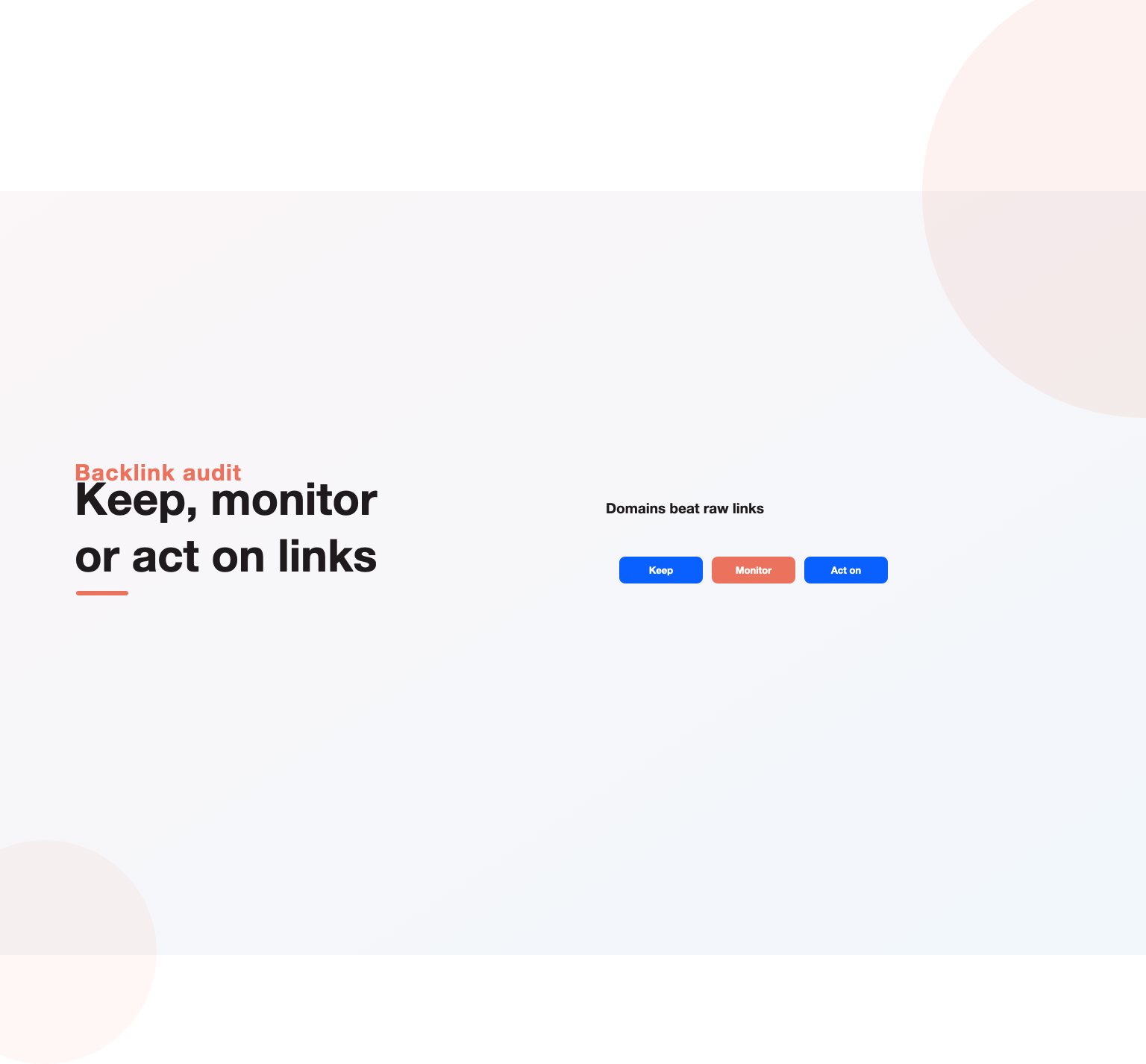
- Keep: relevant, authoritative, editorial links. These are assets to protect.
- Monitor: low-value but harmless links, such as small directories or scraper sites. Google usually ignores these.
- Act on: links from obvious link networks, hacked sites, spam domains or paid link schemes, especially if they are numerous.
For links in the third group, first try asking the site owner to remove them. If that fails and the volume is significant, Google’s disavow tool lets you ask Google to ignore specific domains. Google says most sites never need it, because its systems already discount spam, so reserve it for clear manipulation or a manual action. Our guide to black hat SEO explains the practices that create risky links in the first place, and our SEO audit checklist shows where a backlink review fits in a full audit.
Turning backlink research into links
Searching backlinks only pays off when it produces new links. The research points to four practical tactics.
Link gap outreach
Contact sites that link to several competitors with a relevant resource of your own and a short, personal note explaining why it adds value for their readers.
Broken link building
Search backlinks pointing to competitor pages that now return errors. Sites linking to dead pages are often happy to update the link to a working alternative, especially one that covers the same topic well.
Unlinked mentions
Find articles that mention your brand without linking. A polite request to add a link converts a surprising share of these.
Linkable assets
Your competitors’ most-linked pages show which formats attract links in your niche. Original research, calculators, templates and definitive guides tend to earn links repeatedly. Creating better versions is a durable strategy, discussed further in our guide to off-page SEO.
Questions to ask about any link
When you search backlinks and find a link you are unsure about, a few quick questions usually settle whether it is an asset or a risk.
- Would this link exist if search engines did not? Editorial links that help readers pass this test easily.
- Does the linking site have real visitors and published content beyond links?
- Is the linking page related to your topic, industry or location?
- Does the anchor text read naturally, or does it repeat an exact commercial keyword?
- Did you pay for it, trade for it or ask for it in a way that breaks search engine guidelines?
Links that pass these questions are worth protecting and earning more of. Links that fail several of them are worth monitoring, and large groups of them may justify an audit.
How to search backlinks for a brand new site
New sites often have no backlinks at all, which makes competitor research even more important. Start by choosing three established sites in your niche and three newer ones that have grown quickly. Search backlinks for all six, then look at the earliest links the newer sites earned. Those first links, often from directories, partner pages, founder interviews, launch platforms and niche communities, are the realistic first targets for a new site. Large, established competitors usually hold links from major publications that a new site cannot earn yet; the faster-growing newcomers show the path that actually works from a standing start.
Set modest goals for the first six months: complete every relevant business listing, earn mentions from partners and suppliers, appear on a few niche podcasts or interviews, and publish one genuinely useful asset that others in your field would want to reference. Then repeat the research quarterly as the site grows.
Links and AI search
As AI assistants and AI Overviews shape more search journeys, links still matter. AI systems lean on sources that search engines already trust, and those sources are often the ones with strong, relevant link profiles. Being mentioned and linked from respected industry sites increases the chance your brand appears in AI-generated answers as well as in traditional results. When you search backlinks for competitors that AI assistants frequently recommend, you often find the same set of authoritative publications behind them, which gives you a clear list of places to earn coverage. Prioritize the publications that appear across several of those competitors first.
Comparing backlink tools
Every major tool can search backlinks, but they differ in index size, freshness, metrics and price. The table summarizes how the main options compare for typical business use.
| Tool | Best for | Strengths | Limitations |
|---|---|---|---|
| Google Search Console | Your own sites | Free, data from Google, top linking sites and pages | Sampled data, no authority scores, no competitor data |
| Ahrefs | Competitor research and audits | Large, frequently updated index, strong filters, link gap tool | Paid plans with credit limits |
| Semrush | All-in-one SEO teams | Backlink audit workflow, toxicity flags, integrated with keyword research | Toxicity scores need human judgment |
| Moz | Authority benchmarking | Domain Authority metric widely recognized, spam score | Smaller index than the largest tools |
| Majestic | Link-focused analysis | Historic index, Trust Flow and Citation Flow metrics | Less integrated with broader SEO tasks |
For most small and mid-sized businesses, Search Console plus one paid tool is enough. Agencies and larger sites often use two paid tools to cross-check important findings, such as the links behind a sudden ranking change.
Link research for local businesses
Local businesses compete with a much smaller set of rivals, which makes backlink research especially productive. The most valuable local links usually come from chambers of commerce, business associations, local news sites, community organizations, sponsorships, suppliers and local event pages. These links are relevant, hard for distant competitors to copy, and often easy to earn through genuine involvement in the community.
When a local business looks at a competitor’s backlinks, the patterns are usually obvious: the same handful of associations, sponsorships and local media appear again and again. Matching those links is often enough to close the gap, because local rankings depend on proximity, reviews and Google Business Profile signals as much as on links. Our guide to SEO for business covers the other local ranking factors.
Link research for ecommerce sites
Ecommerce stores face a different challenge: product pages rarely attract links on their own. The links tend to go to category guides, buying guides, gift lists, original data, and brand pages featured in press coverage. When ecommerce teams research competitor links, they usually find that a few content assets and press mentions carry most of the authority, which is then passed to product and category pages through internal links. Our guides to ecommerce SEO and ecommerce SEO strategy explain how to structure that flow.
Negative SEO and spam links
Occasionally a site sees a sudden flood of links from spam domains, link farms or adult and gambling sites. This can be an attempt at negative SEO, the deliberate use of bad links to harm a competitor, or simply the result of automated spam networks linking to sites at random. In most cases, Google’s systems recognize and ignore these links, and rankings are unaffected.
The right response is calm monitoring. Record the spike, watch rankings and traffic for the affected pages, and check Search Console for manual actions. If there is a manual action for unnatural links, or if rankings drop sharply in a way that lines up with the spam, a disavow file listing the offending domains is a reasonable precaution. Avoid disavowing good links by mistake; a careless disavow can do more harm than the spam itself.
Building a backlink tracking sheet
Tools show the current state of a link profile, but a simple tracking sheet builds a history you can learn from. Create tabs for your own new links, lost links, competitor highlights and outreach targets. For each new referring domain, record the date, the linking page, the linked page, the anchor text, whether it is followed, and how the link was earned. Over time, the sheet shows which tactics produce the most valuable links and which pages attract them naturally.
Add a monthly summary row with referring domains gained, referring domains lost and the net change. Pair it with rankings and organic traffic for the pages that received links. This makes the return on link-building effort visible, which is useful when you need to justify the time or budget.
Measuring the impact of new links
Links rarely move rankings overnight. Google needs to crawl the linking page, process the link and reassess the linked page, which can take weeks. To measure impact, track rankings and impressions for the target page for at least four to eight weeks after a link appears, and compare with a similar page that did not receive links. Look for steady movement rather than single-day jumps. Over a quarter, consistent link acquisition to a page, combined with strong content, should show up as higher average positions and more impressions in Search Console.
Reporting links to stakeholders
Leadership teams rarely care about authority scores. They care about whether the business is becoming more visible to buyers. When you report on links, translate the data into outcomes: the number of new relevant referring domains this quarter, the pages that received them, the rankings and organic traffic those pages gained, and the leads or revenue they now produce. Include one or two examples of notable links, such as coverage in a respected industry publication, because concrete examples make the work tangible. Keep the technical detail in an appendix for the SEO team, where specialists can review anchors, link types and individual referring domains without cluttering the main summary for leadership.
It also helps to set expectations about timing. Links compound slowly, and a quarter of steady work often shows little movement before rankings start to climb. Sharing a simple trend chart of referring domains alongside organic traffic makes that delayed relationship easier to understand, and it keeps support for link building steady through the quiet early months.
A worked example
A regional accounting firm notices that two competitors outrank it for “small business accountant” in its city. The team decides to search backlinks for both competitors and for its own site.
Its own profile shows 35 referring domains, mostly directories and a few client sites. The competitors have 140 and 210 referring domains respectively. When the team compares them, it finds 46 sites linking to both competitors but not to the firm: the local chamber of commerce, two business associations, a regional newspaper’s small business section, a university entrepreneurship center, several local podcasts and a handful of accounting software partner directories.
The firm joins the chamber and one association, offers a tax-season guide to the newspaper and the university center, appears on two podcasts, and completes its software partner listings. Over four months it gains 22 new referring domains, almost all relevant and local. Its rankings for core local terms move from page two to the lower half of page one, and inquiries from organic search rise noticeably. None of it required buying links; it came from knowing where to look.
Common mistakes when you search backlinks
- Counting total backlinks instead of referring domains.
- Trusting a single tool’s index as the complete picture.
- Panicking over a few spammy links that Google already ignores.
- Buying links from sellers who promise high authority scores, which can trigger penalties.
- Researching competitors once and never revisiting the data.
- Ignoring internal links, so authority from strong pages never reaches money pages.
How often to check backlinks
For most businesses, a monthly check of new and lost links is enough, with a deeper audit once or twice a year. Increase the frequency during active link-building campaigns, after a site migration, or after an unexplained ranking drop. A short monthly routine might be: export new links from Search Console, scan for anything unusual, update a list of lost links worth recovering, and review one competitor’s newest links for fresh ideas. Our guide to SEO reporting shows how to fold link metrics into monthly reports.
Where links fit in a wider SEO strategy
Backlinks in SEO work alongside content and technical health, not instead of them. Strong links point to pages that must still answer searchers’ questions and load quickly. Our guides to on-page SEO, technical SEO and keyword research cover the other pillars, and our complete guide to SEO ties them together. If you are weighing the investment, see our breakdown of how much SEO costs.
If you would like specialists to audit your backlink profile, map competitor link gaps and run outreach, our SEO services team does this for businesses across the US, UK, Canada, Australia and India. You can also talk to our team about a free link profile review.
Key Takeaways
- Use Google Search Console to search backlinks for your own site for free and with Google’s own data.
- Use third-party tools to search backlinks for competitors and any domain you do not own.
- Judge link profiles by referring domains, relevance, authority, placement and anchor diversity.
- Audit backlinks once or twice a year and act only on clear spam or manipulation.
- Competitor link gaps, broken links and unlinked mentions are the fastest sources of new links.
- Check new and lost links monthly and connect strong pages to money pages with internal links.
Frequently asked questions
How can I search backlinks for free?
Use the Links report in Google Search Console for your own site, and the free versions of tools such as Ahrefs, Semrush or Moz for other domains. Free versions show a limited number of results but are enough for quick checks.
Why do different tools show different backlinks?
Each tool crawls the web independently and maintains its own index. None sees every link, so counts and lists differ. Comparing two sources gives a fuller picture.
How many backlinks do I need to rank?
There is no fixed number. It depends on how competitive the keyword is and how strong the pages already ranking are. Studying the referring domains of the top results shows the level you need to match.
Are nofollow backlinks useless?
No. They can still bring referral traffic and brand exposure, and Google treats link attributes as hints. A natural profile includes a mix of followed and nofollowed links.
Can backlinks hurt my site?
Manipulative links from link schemes can lead to ranking problems or manual actions. Random low-quality links are usually ignored by Google, so only act on clear patterns of spam.
Should I use the disavow tool?
Only when you have a manual action for unnatural links, or a large volume of clearly manipulative links you cannot remove. Most sites never need it.
Do internal links count as backlinks?
No. Backlinks come from other websites. Internal links connect pages on your own site and help spread the authority your backlinks bring, so both matter, but only external links count as backlinks.
Can I find who links to a specific page rather than the whole site?
Yes. Enter the exact page URL instead of the domain in any backlink tool, or open the top linked pages view in Search Console and click the page to see the sites linking to it.
How often should I check backlinks?
Monthly for new and lost links, with a deeper audit once or twice a year or after a significant ranking change.
What is the difference between backlinks and referring domains?
A backlink is one individual link. Referring domains are the unique websites those links come from. Referring domains are usually the better measure of link strength.
Ready to put this into practice?
Talk to the team that runs SEO, AI search and paid growth programs every day.
Book a Strategy Call →