 Skip to content

The Technical SEO Checklist for 2026 (No Dead Advice)
A current technical SEO checklist for 2026: crawlability, indexation, Core Web Vitals with INP, site architecture, rendering, and the AI-crawler and dead-advice updates most checklists still miss.
 Core Web Vitals, and AI crawler access”/>
Quick Answer
Technical SEO in 2026 comes down to three questions: can search engines and AI crawlers reach your pages, can they index them, and do they load fast enough to keep people. Get crawlability, indexation, and Core Web Vitals right first, then site structure and rendering.
Technical SEO in 2026 comes down to three questions: can search engines and AI crawlers reach your pages, can they index them, and do they load fast enough to keep people. The checklist itself has shifted, and a lot of advice still circulating is now wrong. INP replaced FID as a Core Web Vital in March 2024, Google has retired FAQ and HowTo rich results so that markup no longer earns the result it once did, and whether a page is indexed now decides not just search visibility but whether it can be cited in an AI answer at all. This is the current, no-dead-advice version: what to check, why it matters in 2026, and the outdated items to stop wasting time on.
This technical SEO checklist for 2026 comes down to three questions, and it flags the technical SEO checklist advice that is now wrong. Work the technical SEO checklist top to bottom for crawlability, indexation and speed.
Key Highlights
- Technical SEO reduces to three jobs, crawlability, indexation, and speed, in that order of priority.
- Make sure both search engines and AI crawlers can actually reach and render your pages.
- Core Web Vitals now measure INP, not FID, so tune interactivity, not just load time.
- Confirm pages are truly indexed in Search Console, not merely crawled, before chasing rankings.
- A clean site architecture helps crawlers and readers follow your content and passes authority to key pages.
The 2026 technical SEO checklist at a glance
Every item below serves one of the three questions: reachable, indexable, fast. Work them in that order, because a page that cannot be crawled will never be indexed, and a page that is not indexed cannot rank or be cited no matter how fast it loads. The biggest 2026 changes to internalise up front: INP is now the responsiveness metric, not FID; FAQ and HowTo markup no longer produce rich results; AI crawlers are a distinct audience you must consciously allow or deny; and diagnosing why pages are not indexed is now a core skill, not an edge case. If you would rather have this run for you, a thorough technical SEO audit covers all of it systematically.
Crawlability: can engines and AI bots reach your pages?
Nothing else matters if crawlers cannot get in. Start here.
Do not block CSS or JavaScript in robots.txt. A surprising number of sites still disallow the very resources engines need to render the page, which cripples how they understand it. Allow them. Reserve robots.txt disallow rules for genuinely private or useless paths.
Maintain a clean XML sitemap. It should list only canonical, indexable URLs that return a 200 status, never redirects, error pages, or noindexed URLs, and it should be submitted in Search Console.
Fix redirect chains and loops. Every hop wastes crawl budget and dilutes signals. Redirect once, directly to the final destination.
Hunt down orphan pages. A page with no internal links pointing to it is hard for crawlers to discover and signals low importance. Link to everything that matters.
Decide your AI crawler policy on purpose. This is new and most checklists skip it. AI engines use their own crawlers, and your robots.txt choices decide whether you can appear in their answers.
| Crawler | Who runs it | What allowing it does |
|---|---|---|
| Googlebot | Google Search | Classic search indexing. Always allow. |
| Google-Extended | Controls use for Gemini and AI training, separate from Search. | |
| GPTBot | OpenAI | Training crawler for ChatGPT models. |
| OAI-SearchBot | OpenAI | Powers ChatGPT search results and citations. |
| ClaudeBot | Anthropic | Crawler behind Claude. |
| PerplexityBot | Perplexity | Indexes pages Perplexity can cite in answers. |
Indexation: can engines actually index them?
Getting crawled is not getting indexed, and the gap is where most sites quietly lose visibility.
One clear canonical per page. Point duplicate or near-duplicate URLs at a single canonical so you are not splitting signals or competing with yourself.
Never combine noindex with a robots.txt disallow. If you disallow a URL, Google cannot crawl it to see the noindex tag, so it may stay indexed based on external signals. Use one or the other for the outcome you want, not both.
Diagnose not-indexed status correctly. Search Console distinguishes Discovered, currently not indexed from Crawled, currently not indexed, and they mean different things. Discovered means Google knows the URL but has not prioritised crawling it, usually a sign of weak internal linking or low perceived importance, so the fix is stronger internal links and crawl priority. Crawled means Google looked and chose not to index, usually a quality or duplication signal, so the fix is better, more distinct content. Mass-clicking request indexing does not solve either at scale, a point we see misunderstood constantly.
Control parameter and faceted URLs. Filter and sort parameters can spawn thousands of thin duplicate URLs that drain crawl budget. Manage them with canonicals, noindex, or parameter handling so crawlers spend their time on pages that matter.
Core Web Vitals in 2026: it is INP now
If your information says First Input Delay, it is out of date. On March 12, 2024, Google replaced FID with Interaction to Next Paint (INP) as a Core Web Vital. This matters because the two are not the same thing: FID measured only the delay before the first interaction, while INP measures responsiveness across the whole visit, so a page that felt fine under FID can fail INP.
| Core Web Vital | Measures | Good (75th percentile, field data) |
|---|---|---|
| LCP (Largest Contentful Paint) | Loading: when the main content renders | 2.5 seconds or less |
| INP (Interaction to Next Paint) | Responsiveness across the whole visit | 200 milliseconds or less |
| CLS (Cumulative Layout Shift) | Visual stability | 0.1 or less |
These are field metrics, gathered from real users at the 75th percentile, not lab scores, so a green lab result does not guarantee you pass. Remediation differs by metric. INP is usually about reducing long JavaScript tasks and breaking up main-thread work so the page responds quickly to taps and clicks. LCP is about serving the main content fast, through image priority, proper sizing, and a good server or CDN. CLS is about reserving space for images, ads, and embeds so nothing jumps as the page loads. Optimise against real-user data, not just a lab tool showing green.
Site architecture: structure crawlers and readers can follow
How your pages connect shapes both crawling and ranking. Put important pages shallow, ideally reachable within about three clicks of the home page, so crawlers and users find them easily. Organise content into logical hub-and-spoke topic clusters, with a strong hub page linking to related detail pages and back, which builds topical authority and spreads link equity. Use short, descriptive, keyword-relevant URLs without dates or parameters, add breadcrumb navigation and its structured data, and make sure internal links are real HTML links, not actions that only work through JavaScript, so both engines and AI crawlers can follow them.
Rendering and JavaScript
Rendering is where modern sites most often trip. If critical content only appears after JavaScript runs, you are gambling on every crawler executing it, and many do not. Prefer server-side rendering or prerendering for important content so it is present in the initial HTML. Verify what engines actually see using the URL Inspection tool in Search Console, which shows the rendered DOM, not just your source. And remember that AI crawlers frequently do not run JavaScript at all, so content hidden behind it can be invisible to the very engines whose answers you want to appear in. Do not hide primary content behind clicks, tabs, or scripts that crawlers cannot trigger.
Structured data: what still earns results
Structured data still helps engines and AI models understand your pages, but which types pay off has changed. Organization, Article, Product, Breadcrumb, and Review markup remain worthwhile and can still drive rich results where eligible. The important 2026 correction: Google has retired FAQ and HowTo rich results, so adding that markup no longer earns the enhanced listing it once did. It can still aid semantic understanding and AI extraction, so it is not forbidden, but stop adding it expecting a rich result, and stop treating its loss as a ranking problem. Hold your structured data accurate and matched to visible content, because mismatched or spammy markup does more harm than good.
Security and site health essentials
A few foundational health items underpin everything above, and neglecting them quietly undermines the rest of your technical work. Serve the whole site over HTTPS with a valid certificate, and eliminate mixed content, where a secure page loads insecure resources, because it breaks trust signals and can block resources engines need. Return the correct status codes: a genuinely removed page should return 404 or 410, not a soft 404 that returns a success status with a not-found message, which confuses crawlers about whether the URL still exists. Handle server errors and downtime quickly, since repeated errors during crawls tell engines the site is unreliable. And keep an eye on crawl stats in Search Console, because a sudden spike in errors or a drop in pages crawled is often the first sign of a technical problem that will become a ranking problem if left. None of this is glamorous, but it is the base layer that lets crawling, indexation, and speed work as intended. A useful way to think about it: security and health issues rarely win you rankings on their own, but any one of them can cap everything else, so they are best treated as pass-or-fail gates you clear once and then monitor, rather than optimisation levers you tune. Fix them, set up alerts for certificate expiry, error spikes, and downtime, and move your active effort back to the crawl, index, speed, and content work that actually drives growth.
The technical SEO checklist kill-list: advice that is wrong in 2026
Because so many checklists are copied year to year without updating, a lot of confident advice is now simply incorrect. Stop doing these.
Optimising for FID. It is retired. Measure and fix INP instead, which covers the whole interaction lifecycle and demands different work.
Adding FAQ or HowTo schema for rich results. Those rich results are gone. Add the markup only for semantic or AI-parsing value, never expecting the old listing enhancement.
Leaving primary content dependent on JavaScript. With AI crawlers often not executing scripts, JS-gated content can be invisible in AI answers even when Google eventually renders it.
Mass-requesting indexing to fix not-indexed pages. It does not address the underlying internal-link or quality cause and does not scale. Fix the cause instead.
Indexation is the new AI-visibility gate
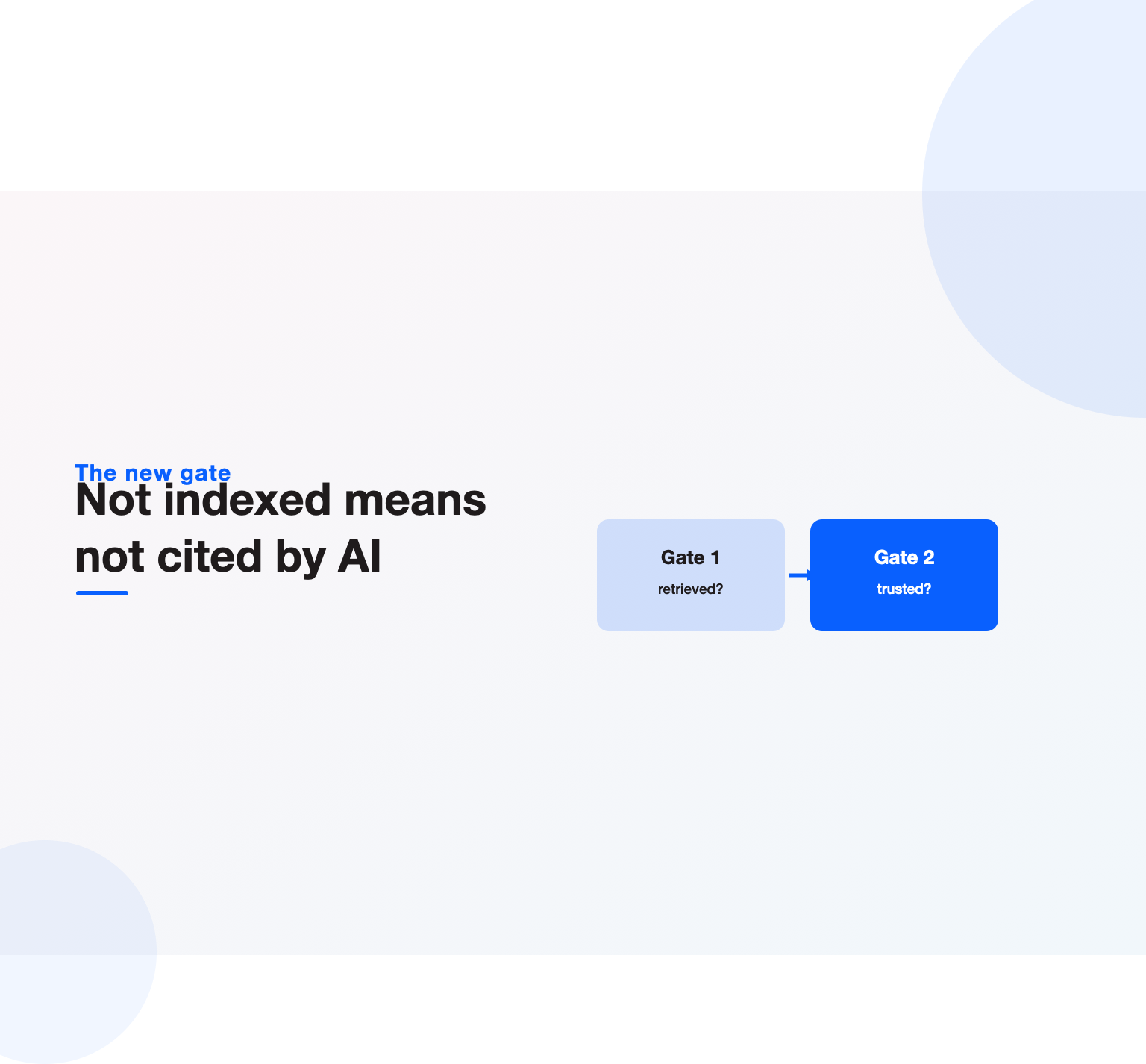
Here is the reframing that ties the whole checklist together in 2026. A page that is not indexed cannot rank, and it also cannot be cited in an AI answer, because engines draw their answers from what they have indexed and trust. That makes crawl and index hygiene not just an SEO housekeeping task but the precondition for AI visibility. Every item above, clean crawling, correct canonicals, resolved not-indexed pages, renderable content, is now doing double duty: it decides whether you can rank and whether you can be the answer. This is why we treat technical health and answer engine readiness as two sides of the same audit, and why our AI citation readiness audit guide starts from the same technical foundation. Get the plumbing right and both surfaces open up; leave it broken and no amount of content strategy can compensate.
We will run a full technical audit, find the crawl, index, speed, and rendering issues costing you rankings and AI citations, and hand you a prioritised fix list, not a generic checklist.
How often should you run this technical SEO checklist?
Treat this technical SEO checklist as maintenance, not a one-time project. Do a full audit at least twice a year, after any significant site change, migration, or redesign, and whenever traffic drops unexpectedly, since technical faults are a common cause, as we cover in recovering from a traffic drop. Monitor Search Console continuously for coverage and Core Web Vitals issues so small problems surface before they become drops. Pair this technical foundation with strong on-page work, covered in our on-page SEO guide, and the wider strategy in our complete guide to SEO, and you have the full picture.
From crawl and index health to Core Web Vitals and AI-crawler access, we keep the technical base that everything else depends on in good shape, so your content and links can actually perform.
Mobile and page experience on the technical SEO checklist
The next block of the technical SEO checklist covers mobile and page experience, which Google evaluates on the mobile version of your site first. Confirm that your pages use responsive design rather than a separate mobile URL set, because maintaining two versions doubles the chance of mismatched content and broken signals. Check that tap targets are comfortably spaced, that text is readable without pinch-zooming, and that nothing important is hidden behind intrusive interstitials, since aggressive pop-ups can suppress rankings on mobile results.
Page experience is more than Core Web Vitals. Verify that content does not shift as ads and images load, that the main content is usable within a second or two of the page appearing, and that interactive elements respond immediately to a tap. Test on a real mid-range phone on a normal connection, not just a fast laptop, because that is closer to how a large share of your visitors actually experience the site. A page that scores well in a lab tool but stutters on a three-year-old Android is still failing the people it needs to convert.
Internationalization, redirects and duplicate content
If you serve more than one country or language, hreflang belongs high on your technical SEO checklist. Each page should declare its language and region variants, every variant should point back at the others, and each should include a self-referencing tag, because a single missing return tag can invalidate the whole cluster and send the wrong version into the wrong market. Hold the set small and accurate rather than large and sloppy.
Redirects and canonicalization are where authority quietly leaks. Audit for redirect chains and loops, since each hop wastes crawl budget and dilutes the signal passing through, and replace chains with a single direct redirect to the final URL. Standardize on one canonical form of every URL, one choice between www and non-www, one between http and https, and one convention for trailing slashes, then enforce it so the same page is never reachable at several addresses. Point canonical tags at the version you want indexed, and make sure they match the version you actually link to internally, because contradicting yourself between links and canonicals forces search engines to guess.
Duplicate content rarely triggers a penalty, but it does split signals and waste crawl budget. Watch for parameter-based duplicates from filters and sorting, printer-friendly copies, and staging URLs that accidentally got indexed, and resolve each with a canonical, a noindex, or a robots rule as appropriate. The goal running through this part of the technical SEO checklist is simple: one strong URL per intent, not five weak ones competing with each other.
Crawl budget and log-file analysis
For larger sites, crawl budget becomes a real constraint, and the most advanced item on the technical SEO checklist is reading your server logs to see how bots actually behave. Logs show which pages Googlebot and the AI crawlers request, how often, and how much time they waste on low-value URLs, which no third-party tool can tell you as precisely. If the logs reveal crawlers spending most of their visits on faceted-navigation junk or endless parameter combinations, that is budget stolen from the pages that matter.
Tighten it by blocking genuinely useless paths in robots, trimming low-value pages, and strengthening internal links to the URLs you want crawled most, so bots reach and refresh your important content faster. Keep your XML sitemaps clean and current, listing only canonical, indexable URLs, because a sitemap full of redirects and dead ends teaches crawlers to trust it less. On a small brochure site this hardly matters, but on a large store or a programmatic build it is often the difference between new pages getting indexed in days versus never.
Images, media and structured data checks
The final pass of the technical SEO checklist covers the assets that most often bloat a page. Serve images in modern formats, size them to their display dimensions rather than shipping huge originals, and lazy-load anything below the fold so it does not block the first paint. Give meaningful images descriptive alt text, which helps both accessibility and image search, and make sure video embeds do not drag load time down or block rendering while they initialize.
Close out with a structured-data review, because schema is what makes you eligible for rich results and easier for AI answer engines to parse. Validate that your markup matches the visible content, that required properties are present, and that you are not marking up things you do not actually show, which can get the markup ignored or flagged. Run the whole technical SEO checklist against your highest-value templates first, since fixing one product or article template usually corrects the same issue across thousands of pages at once, which is where the real leverage in technical work lives.
Turning the technical SEO checklist into a repeatable workflow
A one-time pass fixes today’s problems, but sites regress, so the real value comes from treating the technical SEO checklist as a recurring workflow rather than a single project. New pages ship with missing tags, plugins inject broken markup, redirects pile up after migrations, and a theme update can quietly change how JavaScript renders. Without a cadence, the same issues you cleared this quarter creep back in by the next.
Build the checklist into three loops running at different speeds. A continuous loop watches the signals that break silently and cost the most: index coverage, server errors, Core Web Vitals and broken canonicals, ideally with automated alerts so a spike reaches you within hours rather than at the next manual audit. A monthly loop spot-checks new templates and high-value pages, confirming that recently published content is indexable, fast and correctly marked up before problems compound. A deeper quarterly loop runs the full technical SEO checklist end to end, including the log-file and crawl-budget work that is too heavy to repeat weekly.
Assign an owner to each loop, because a checklist nobody owns is a checklist nobody runs. On smaller teams that owner is one person with a calendar reminder and a shared document; on larger ones it is a defined responsibility split between engineering and the SEO team, with a clear handoff so nothing falls between them. Document what good looks like for each item, so the check is objective rather than a matter of opinion, and log what you find each cycle so you can see whether the same issue keeps returning, which usually points to a process problem upstream rather than a one-off bug.
Prioritize ruthlessly when the list of findings is long. Not every technical issue moves rankings, and chasing trivial warnings while a rendering problem hides your main content is a poor use of time. Rank findings by how many pages they affect and how directly they touch crawling, indexing or the core content, fix the systemic template-level issues first, and let the cosmetic ones wait. Run this way, the technical SEO checklist stops being a dreaded annual scramble and becomes quiet background maintenance that keeps the foundation solid while the content and links teams do the work that actually earns rankings on top of it.
If all of this feels like a lot to hold in your head, that is the point of writing it down: a checklist exists so the knowledge does not have to live in one person’s memory. Start with the highest-leverage items, crawlability, indexation and Core Web Vitals, get those genuinely solid, and add the deeper checks as the site and the team grow. A foundation that is boringly reliable is worth far more than an occasional heroic audit followed by months of quiet regression, because search engines and AI crawlers reward consistency, and so do the people who land on a fast, well-structured page.
Key Takeaways
- Fix crawlability, indexation and rendering first.
- Improve core web vitals and mobile experience.
- Ensure clean sitemaps, canonicals and structured data.
- Re-audit after any major site or platform change.
Frequently asked questions
What is the difference between Discovered and Crawled, currently not indexed?
Discovered, currently not indexed means Google knows the URL but has not prioritised crawling it, usually a sign of weak internal linking or low perceived importance, so the fix is stronger internal links. Crawled, currently not indexed means Google crawled the page and chose not to index it, usually a quality or duplication signal, so the fix is better, more distinct content.
Is INP a ranking factor now, and how is it different from FID?
Yes. INP replaced FID as a Core Web Vital on March 12, 2024. FID only measured the delay before the first interaction, while INP measures responsiveness across the entire visit, so it is a stricter, more representative metric. A good INP is 200 milliseconds or less at the 75th percentile of real-user data.
Should I let AI crawlers like GPTBot and PerplexityBot access my site?
Decide deliberately in robots.txt. Allowing search-facing bots such as OAI-SearchBot and PerplexityBot lets you appear in those engines’ answers and citations, which most businesses want. Training-focused bots like GPTBot and Google-Extended mainly affect model training, so blocking them limits training use without necessarily removing you from search-style answers.
Does FAQ schema still get rich results in 2026?
No. Google has retired FAQ and HowTo rich results, so adding that markup no longer earns the enhanced listing it once did. It can still help engines and AI models understand your content, so it is not harmful, but you should not add it expecting a rich result or treat its removal as a ranking loss.
How deep should my site architecture be?
Keep important pages shallow, ideally within about three clicks of the home page, so crawlers and users reach them easily. Organise content into hub-and-spoke topic clusters with real HTML internal links, which aids discovery, spreads authority, and builds topical relevance.
Do I need server-side rendering for AI search?
It helps significantly. Many AI crawlers do not execute JavaScript, so content that only appears after JS runs can be invisible to them even if Google eventually renders it. Server-side rendering or prerendering puts your primary content in the initial HTML where every crawler can see it.
How often should I run this technical SEO checklist?
At least twice a year, plus after any major site change, migration, or redesign, and whenever traffic drops unexpectedly. Monitor Search Console continuously so smaller coverage and Core Web Vitals issues surface and get fixed before they turn into visible losses.
Why is not requesting indexing fixing my un-indexed pages?
Because request indexing does not address why the pages are not indexed. If the cause is weak internal linking (Discovered) or thin or duplicate content (Crawled), you must fix that underlying issue. Requesting indexing at scale is not a solution and does not change Google’s assessment of the page.
Ready to put this into practice?
Talk to the team that runs SEO, AI search and paid growth programs every day.
Book a Strategy Call →