 Skip to content

HubSpot Marketing Automation: A Practical Guide
HubSpot marketing automation explained: workflows, lead scoring, lists, email, what each Marketing Hub tier unlocks, setup steps, common mistakes and when it pays off.
Quick Answer
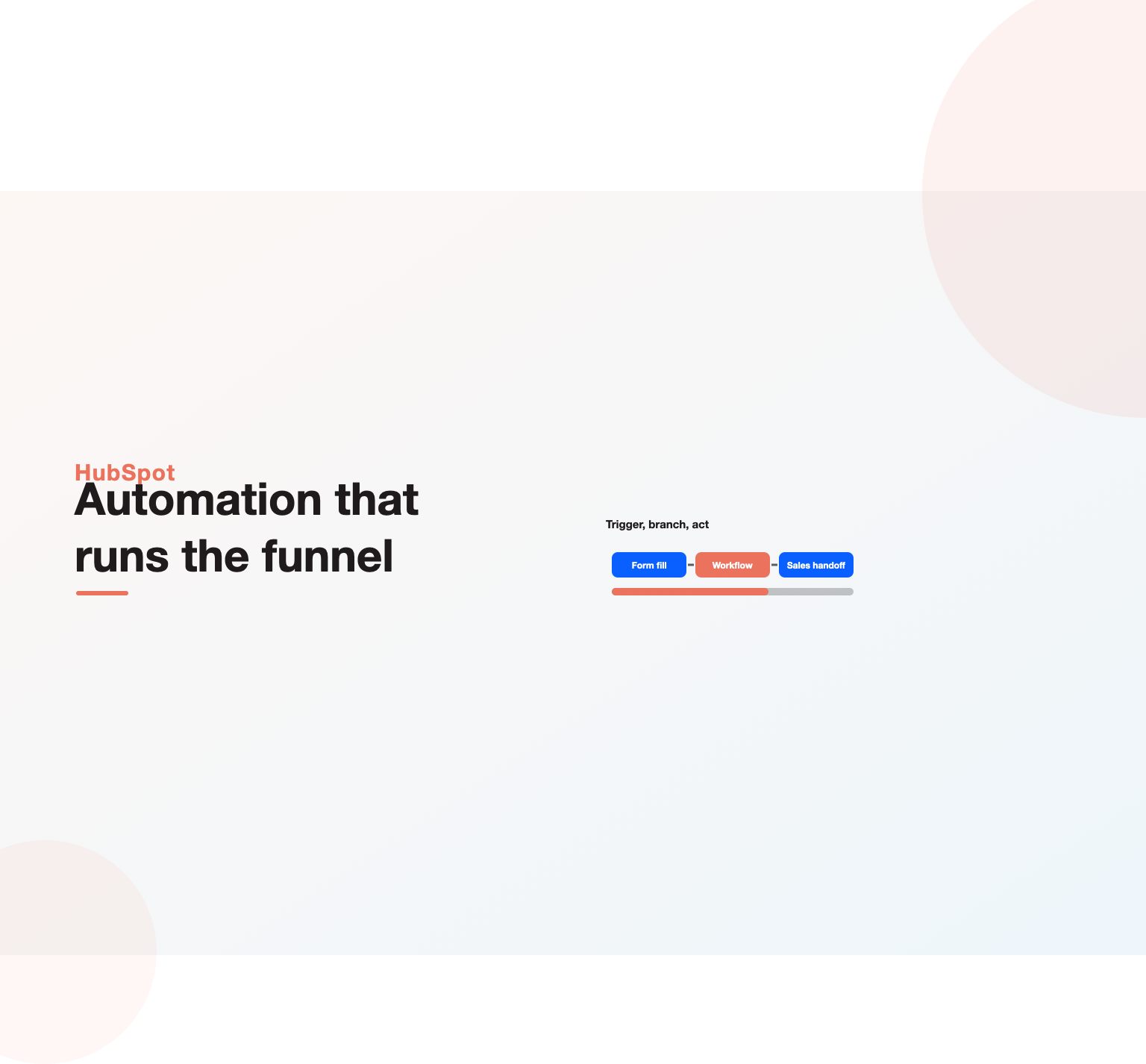
HubSpot marketing automation is the set of tools inside HubSpot Marketing Hub that lets you trigger emails, update contact records, score leads, segment lists and hand qualified prospects to sales without manual work. Everything runs on one CRM database, so every automated action is based on the same contact, company and deal data your sales team sees. The core engine is the workflow builder: you define an enrollment trigger (a form submission, a property change, a page view, a list membership), then a sequence of delays, branches and actions. Full workflows are available on the Professional and Enterprise tiers of Marketing Hub; the Free and Starter tiers offer lighter, form-based email automation. For most B2B teams with a sales handoff, the Professional tier is where the platform starts paying for itself.
Key Highlights
- Workflows are the engine. Triggers, delays, if/then branches and actions replace the manual follow-up most teams forget to do.
- One shared database is the real advantage. Both marketing and sales act on the same contact record, so there is no sync layer to break.
- Tier matters more than features lists suggest. Starter gives simple email automation, Professional unlocks full workflows and scoring, Enterprise adds scale and governance.
- Data comes before automation. Lifecycle stages, property definitions and list logic decide whether workflows help or create noise.
- Setup has a correct order. Clean data, define stages, build lists, then scoring, then nurture, then reporting.
- It is not always the right fit. Very high-volume ecommerce senders and teams locked into another CRM sometimes do better elsewhere.
What HubSpot marketing automation actually does
Strip away the marketing language and HubSpot marketing automation does four jobs. It watches for events, such as a form fill, an email click, a pricing page visit or a change to a contact property. It decides who qualifies, using enrollment criteria and branches. It acts, by sending an email, updating a property, assigning an owner, creating a task, rotating a lead to a rep or firing a webhook. And it records what happened, so reporting can tell you which paths produced pipeline. Those four jobs map onto the parts of Marketing Hub you will touch most: workflows, lists (now called segments in parts of the interface), lead scoring, and the email tool.
The difference between HubSpot and a standalone email platform is where the data lives. In a typical stack you might have an email service provider, a separate CRM and a sync connector between them. Every sync is a place where fields mismatch, duplicates appear and timing lags. Because Marketing Hub sits on the HubSpot CRM itself, a workflow can read the deal stage a salesperson changed thirty seconds ago and react to it. That shared record is the reason operators choose the platform, and it is also why careless data design hurts more here: a bad property definition breaks marketing and sales at the same time.
It helps to be honest about what the tool does not do. It will not write a strategy for you, decide your ideal customer profile, or fix an offer nobody wants. Automation multiplies whatever process you already have. If your follow-up is thoughtful, it gets faster and more consistent. If your follow-up is generic, you will send generic emails at scale. Our pillar on the real benefits of marketing automation covers the business case in more depth; this guide stays focused on how the HubSpot version works in practice.
The building blocks inside Marketing Hub
Before building any HubSpot marketing automation, learn the objects. Contacts are people. Companies are organisations, usually associated automatically by email domain. Deals are revenue opportunities owned by sales. Tickets belong to the service side. Each object has properties, which are the fields you filter, branch and report on. Workflows can be built on most of these objects, so a deal-based workflow can notify a rep when a deal stalls, while a contact-based workflow nurtures a new subscriber.
Lists group records by criteria. Active lists (dynamic segments) update on their own as records start or stop matching, while static lists are snapshots that only change when you add or remove members. The knowledge base documents the distinction in its knowledge base article on creating active or static lists, and choosing correctly matters: use active lists for anything an automation depends on, and static lists for one-time imports, event attendees or audit snapshots.
Lifecycle stage is the single most important property in the account. It tracks a record from subscriber to lead, marketing qualified lead, sales qualified lead, opportunity and customer. Many automations either read this property or set it. Teams that let lifecycle stage be edited freely, by hand and by several workflows at once, end up with reports nobody trusts. Decide which workflow owns each stage change and document it before you build.
The email tool rounds out the set. Campaign emails are built in a drag-and-drop editor and can be sent as one-off campaigns or as automated sends inside workflows. The vendor explains the editor in its guide to creating marketing emails in the drag and drop editor. Personalisation tokens pull any contact or company property into subject lines and body copy, which is where clean data starts paying off.
Workflows: the engine of HubSpot automation
Every piece of HubSpot automation that matters runs through workflows, so workflow design is the core skill of HubSpot marketing automation. A workflow has three parts. The enrollment trigger decides who enters: a form submission, a list membership, a property value, a page view, an email interaction, or a manual enrollment. The actions decide what happens: send an email, set or copy a property, rotate ownership, create a task, add to a static list, send an internal notification, or, on higher tiers, call a webhook or run custom code. Branches split the path based on conditions, such as industry, company size or whether the contact opened the previous email.
The official walkthrough on how to create workflows in HubSpot covers the mechanics. What it cannot tell you is how to design them, and that is where most accounts go wrong. A good workflow does one job, has a clear name that says what it does, sets suppression rules so customers do not receive prospect nurture, and has re-enrollment settings chosen on purpose rather than left at the default. A bad workflow tries to handle every scenario at once, with twelve branches and no documentation, so nobody dares to edit it six months later.
Three workflow patterns cover most of the value. The first is the internal routing workflow: a demo request comes in, the contact is assigned to the right rep by territory or round robin, lifecycle stage is set, and a task with a due date is created. The second is the data hygiene workflow: it standardises country names, copies UTM values into persistent fields, and flags records missing a company. The third is the nurture workflow, which is where most people start but should not, because nurture without routing and hygiene simply sends emails to messy records.
A workflow naming and governance convention
Once an account passes thirty or forty workflows, governance becomes the bottleneck. A simple convention keeps it manageable. Prefix each workflow by function (ROUTE, DATA, NURTURE, NOTIFY, SCORE), then the object and the purpose, for example “NURTURE Contact Webinar no-show follow-up”. Use folders that mirror the prefixes. Record an owner and a last-reviewed date in the description field. Review every active workflow each quarter, turning off anything nobody can explain. This sounds bureaucratic, but it is cheaper than the alternative, which is a portal so tangled that new hires rebuild workflows that already exist.
Lead scoring and lifecycle stages
Inside HubSpot marketing automation, lead scoring turns behaviour and fit into a number that tells sales who to call first. The vendor has rebuilt its scoring tool over time; the current version is described in the article on understanding the lead scoring tool, which separates engagement scoring (what someone does) from fit scoring (who they are). That separation is worth keeping even if you design your own model, because a perfect-fit buyer who has done nothing yet needs different treatment from an engaged student who will never buy.
Start with fit. List the attributes that genuinely predict closed revenue in your historical deals: industry, company size, job seniority, region, technology used. Give positive points for strong matches and negative points for disqualifiers, such as personal email domains or competitor companies. Then layer engagement: high-intent actions like a pricing page visit or a demo page view score higher than a blog visit or a newsletter open. Add decay so last year’s activity does not keep an inactive contact looking hot.
The score only matters if something happens when it crosses a threshold. That is the job of a scoring workflow: when the combined score passes your marketing qualified lead line, set lifecycle stage to MQL, assign an owner, and notify the rep. Agree the threshold with sales before you switch it on, and review it after a month by comparing MQLs that became opportunities against those that did not. A scoring model nobody revisits drifts into irrelevance within two or three quarters.
Segmentation that drives relevant automation
Segmentation is where relevance in HubSpot marketing automation is won or lost. Most accounts start with lists based on a single attribute, such as “all contacts in the US”. Better segments combine fit, stage and behaviour: “US contacts at companies with 50 to 500 employees, lifecycle stage lead, who viewed a pricing page in the last 30 days and are not current customers”. That segment can receive a far more specific message than a broad newsletter list, and specific messages are what earn replies.
A practical approach is to build a small number of reusable foundation segments, then combine them. Typical foundations include: all marketable contacts, all customers, all open opportunities, the ideal customer profile, and global suppression (bounced, unsubscribed, competitors, internal staff). Nurture workflows then reference these, for example by enrolling ICP contacts and suppressing customers and open opportunities. When the definition of your ICP changes, you update one segment and every workflow that uses it follows.
Watch the marketing contact setting as well. Billing for Marketing Hub is based partly on the number of marketing contacts, meaning contacts you can send marketing email to. Non-marketing contacts can still live in the CRM for sales and service use. A quarterly workflow that sets long-inactive or unengaged contacts to non-marketing keeps both your bill and your sender reputation healthier.
Email automation and deliverability
HubSpot email automation is the part most teams see first, and it is where quality shows. Automated emails sent from workflows should read like a person wrote them for a reason, because they were triggered by something the contact did. A webinar no-show should get the recording and one relevant next step. A free-tool user should get help using the tool, not a generic product tour. Personalisation tokens help, but the bigger lever is timing and relevance: the right message soon after the trigger beats a beautifully designed email two weeks later.
Deliverability sits underneath all of it. Authenticate your sending domain with SPF, DKIM and DMARC through HubSpot’s domain connection settings before you send at volume. Google’s email sender guidelines (see also its guidance on helpful, people-first content, which applies to email copy too) set clear expectations for bulk senders, including authentication, easy unsubscribes and low spam complaint rates, and Yahoo announced similar requirements. Automation makes it easy to send more email than your audience wants, so cap frequency, suppress unengaged contacts and watch bounce and complaint rates in the email health dashboard.
If email is your main channel and you want a team to build and run the programme, our email marketing services cover strategy, copy and deliverability work. For teams staying in-house, the simple rule is this: never automate an email you would be embarrassed to send by hand to that same person.
Pricing tiers and what each one unlocks
The tier question decides more about your HubSpot marketing automation than any feature tour. The product is sold in Free, Starter, Professional and Enterprise editions, and the precise limits are listed in its Product and Services Catalog. Prices and limits change, so confirm current figures on the Marketing Hub pricing page before you budget. The table below summarises the practical differences an operator cares about, at the time of writing.
| Tier | Automation you get | Who it suits | Typical limitation |
|---|---|---|---|
| Free | Forms, basic marketing email, CRM records | Very early teams testing the CRM | No real workflows, HubSpot branding on assets |
| Starter | Simple email automation tied to forms and lists | Small teams sending newsletters and follow-ups | No branching workflows or proper lead scoring |
| Professional | Full workflows, branching, lead scoring, campaigns, attribution reporting | B2B teams with a sales handoff and real pipeline | Onboarding fee, limits on custom objects and some advanced reporting |
| Enterprise | Everything in Professional plus custom objects, advanced permissions, higher limits, sandboxes | Larger, multi-team or multi-brand organisations | Significant cost; needs dedicated admin capacity |
For most mid-market B2B companies, Professional is the realistic starting point for serious HubSpot marketing automation, because branching workflows and scoring are what make automation feel personal rather than mechanical. Starter is a fine choice if your needs are a newsletter, a welcome email and a few form follow-ups. Enterprise is justified when you have several business units, strict permission needs, or data models that standard objects cannot represent.
Two cost factors catch buyers out. The first is the marketing contacts tier, since your bill rises as your marketable database grows. The second is the one-time onboarding fee that HubSpot has historically charged on Professional and Enterprise plans. Ask about both, and model three years of growth, not just year one.
How to set up HubSpot marketing automation, step by step
Setup order is where we see most of the avoidable pain in client portals. The instinct is to start with nurture emails because they are visible. The better order starts with data, because every later step depends on it. Here is the sequence our team follows when implementing HubSpot marketing automation for a new account.
- Audit and clean the data. Deduplicate contacts and companies, standardise key properties such as country, industry and job title, and delete or archive junk imports.
- Define lifecycle stages and lead status in writing, with an agreed definition of MQL and SQL signed off by sales.
- Connect your domains, authenticate email sending, install the tracking code and connect ad accounts so attribution data starts collecting.
- Create the foundation segments: marketable contacts, ICP, customers, open opportunities and global suppression.
- Set up routing and data hygiene workflows first, so every new lead is assigned and standardised from day one.
- Design the scoring model with sales, switch it on, and connect it to a lifecycle workflow that creates MQLs.
- Launch two or three high-value nurture journeys, not twenty. Start with the triggers that already carry intent.
- Set up reporting dashboards for stage conversion, source-to-pipeline and email engagement.
- Review after thirty days, then quarterly, and prune anything that is not moving a metric.
A realistic timeline for a clean, mid-sized portal is four to eight weeks to reach step eight. Migrations from another platform take longer, which we cover below. Our guide to building a marketing automation strategy helps with the planning that should happen before step one.
Building a HubSpot lead nurturing workflow
A HubSpot lead nurturing workflow is where the shared CRM really shows its value, because nurture can react to sales activity as well as marketing behaviour. Begin with a trigger that already signals interest, such as downloading a buying guide, attending a webinar, or using a calculator. Those contacts have told you what they care about, so the first email can continue that exact conversation.
A solid structure for a first nurture looks like this. Day 0: deliver the asset and suggest one related resource. Day 3: answer the most common question buyers ask at this stage. Day 7: share a short, specific example of how the problem is solved, without inventing a case study. Day 12: branch. If the contact visited the pricing or demo page, notify the owner and send a short, personal-looking email from the rep. If not, continue with education. Throughout, use suppression so that anyone who books a meeting, becomes an opportunity or unsubscribes leaves the workflow immediately.
Measure nurture by the outcome it is meant to create, which is usually meetings or opportunities, not opens. Apple Mail Privacy Protection inflates open rates for many audiences, so clicks, replies, page visits and stage changes are more honest signals. Set a goal in the workflow, such as lifecycle stage becoming SQL, so contacts who convert exit automatically and you can report a goal conversion rate.
Nurture mistakes to avoid
- Enrolling everyone in one generic sequence regardless of how they arrived.
- Sending prospect nurture to existing customers because suppression was not set.
- Letting several nurture workflows email the same contact in the same week.
- Judging success on open rate instead of meetings and pipeline.
Reporting and attribution in Marketing Hub
Any HubSpot marketing automation programme without measurement turns into a collection of emails nobody can defend in a budget meeting. The Professional edition includes campaign reporting and multi-touch attribution, which connects first touches, conversions and deal creation to revenue where the data allows. The most useful reports for an automation programme are simple: lifecycle stage conversion rates over time, time spent in each stage, source to opportunity, and workflow goal conversion.
Good reporting depends on the setup decisions made earlier. If lifecycle stages are edited randomly, conversion reports are meaningless. If UTM parameters are not captured into persistent properties, source data fades as contacts revisit through other channels. If deals are not associated with contacts and companies, attribution cannot connect marketing to revenue. That is why the hygiene workflows in the setup sequence come before the nurture work.
Create one dashboard per audience. Leadership wants pipeline and revenue influenced. Channel managers want campaign and channel performance. Operators want workflow health: enrollment counts, errors, unsubscribe and bounce spikes. Three focused dashboards beat one sprawling view that serves nobody.
Common mistakes we see in HubSpot portals
Most broken accounts fail in predictable ways. The first is automating before agreeing definitions: marketing calls something an MQL that sales would never call, so leads are ignored and trust collapses. The second is workflow sprawl, where dozens of overlapping automations set the same properties and nobody knows which one won. The third is ignoring suppression, which produces the classic embarrassment of sending a “start your free trial” email to a paying customer.
Several quieter mistakes cost just as much. Importing purchased lists damages sender reputation and breaks HubSpot’s acceptable use policy. Leaving re-enrollment switched on for workflows that should run once causes duplicate emails. Building scoring without negative criteria lets students and competitors float to the top. Skipping documentation means the portal depends on one person, and when that person leaves, so does the knowledge.
The fix for almost all of these is the same discipline: define, document, build small, review. Our checklist of marketing automation best practices applies across platforms and is a good audit companion if you inherited a messy portal.
HubSpot marketing automation features beyond Marketing Hub
Buyers comparing the hubspot marketing automation platform with rivals often look only at Marketing Hub, but several adjacent pieces shape what automation can do. Data Hub (the product formerly sold as Operations Hub) adds data sync, data quality tools and programmable automation, which matters when workflows depend on records flowing in from billing, product or support systems. Teams that sell into many tools at once frequently find that the sync layer, not the email builder, is the real constraint on their automation tool choice.
The bundled Starter Customer Platform packages the Starter editions of the hubs together, which suits small teams that want hubspot crm marketing automation, basic sales tools and service tools under one login without paying for Professional yet. Further up, crm ai features branded as Breeze sit across the hubs, and some AI and data actions draw on HubSpot credits, a usage allowance that varies by edition. Read the current product updates and the credits documentation before assuming an AI action is free at your tier, because the rules have changed more than once.
In practice, crm marketing automation works best when the CRM, the data layer and the email engine share one record, which is the core of the hubspot marketing story. That is also why people search for marketing automation hubspot setups rather than standalone email tools. When you shortlist vendors or agencies, ask for case studies that show the outcome you care about, such as faster speed to lead or more pipeline, and compare them with the trade-offs in our marketing automation tools comparison and the wider case made in our marketing automation benefits pillar.
Is HubSpot marketing automation worth it?
The honest answer is that it depends on your sales motion and your data. HubSpot marketing automation is strongest for B2B and considered-purchase businesses where marketing hands leads to sales, where the shared CRM removes friction, and where the team values usability over deep technical configuration. Professional teams often get value faster than on more complex platforms because the interface is approachable and the ecosystem of integrations is broad.
It is weaker in a few situations. High-volume ecommerce brands sending large numbers of behaviour-triggered emails, such as browse and cart abandonment at scale, often find specialist ecommerce email tools more cost-effective. Organisations deeply invested in Salesforce sometimes prefer Marketing Cloud Account Engagement or Marketo for tighter native alignment. Very small teams with simple needs may never outgrow Starter or a basic email tool.
| Situation | HubSpot fit | Reason |
|---|---|---|
| B2B with sales team, 1,000 to 100,000 contacts | Strong | Shared CRM, workflows and scoring in one place |
| Startup needing CRM plus marketing together | Strong | Can start on lower tiers and grow |
| High-volume ecommerce email | Mixed | Contact-based pricing can climb quickly |
| Salesforce-centric enterprise | Mixed | Works via integration, but native Salesforce tools align closer |
| Solo marketer, newsletter only | Overkill above Starter | Simple tools cover the need cheaply |
If you are still comparing platforms, our roundup of the best marketing automation tools sets HubSpot beside the main alternatives, and the guide to the best CRM software helps if the CRM decision is still open.
Marketing automation with HubSpot vs alternatives
Choosing marketing automation with HubSpot over a rival is usually a trade between usability and depth. Marketo Engage is known for flexible, complex programme logic and is common in large enterprises with dedicated operations staff. Salesforce Marketing Cloud Account Engagement (formerly Pardot) fits teams already running Salesforce as their CRM. ActiveCampaign and similar tools offer capable automation at lower price points for smaller teams. The platform sits in the middle: easier to adopt than the enterprise tools, more integrated than the budget options.
When evaluating, test your three most important real scenarios on each shortlisted platform rather than reading feature grids. For example: route a demo request to the right rep within five minutes, nurture a webinar registrant based on attendance, and report on which campaign created last quarter’s opportunities. Whichever tool handles those scenarios cleanly for your team, with the admin capacity you actually have, is the right choice.
Total cost of ownership should include admin time, not just licence fees. A platform that needs a full-time specialist to operate is expensive even if its list price looks competitive. Conversely, a cheaper tool that forces manual workarounds costs you in staff hours and missed follow-ups.
Migrating to HubSpot from another platform
Migration is where HubSpot marketing automation projects most often overrun. Moving from Marketo, Pardot, ActiveCampaign, Mailchimp or a homegrown setup involves far more than exporting contacts. You need to map fields and picklist values, recreate lists as segments, rebuild automations in HubSpot’s workflow logic, migrate email templates and forms, preserve consent and subscription status, and reconnect integrations. Historical engagement data rarely transfers in full, so decide what you genuinely need to keep.
A sensible migration plan runs in phases. First, audit what exists in the old system and retire anything unused, which often removes a third or more of the automations. Second, design the HubSpot data model and property map. Third, migrate data in a test batch, check it, then migrate the rest. Fourth, rebuild priority workflows and run both systems in parallel for a short period. Fifth, switch off the old platform once reporting matches. Subscription and consent status deserves extra care, because sending to someone who unsubscribed in the old system is both a trust problem and a compliance risk.
If you would rather have specialists run the move, our CRM migration services handle data mapping, workflow rebuilds and parallel running, so your team keeps selling while the platform changes underneath.
A 90-day plan for your first quarter on HubSpot
New portals benefit from a deliberate first quarter of HubSpot marketing automation work. In days one to thirty, focus on foundations: data cleanup, lifecycle definitions, domain authentication, tracking code, foundation segments, and routing workflows. Resist the urge to launch nurture yet. By day thirty, every new lead should be assigned, standardised and visible to sales within minutes.
In days thirty-one to sixty, add intelligence. Switch on the scoring model, connect it to the MQL workflow, and launch your first two nurture journeys from your highest-intent triggers. Set goals on each workflow so conversions are measured. Start weekly reviews with sales to check MQL quality and adjust the threshold.
In days sixty-one to ninety, prove value. Publish the three dashboards described earlier, review workflow goal conversion, prune what is not working, and document everything in a shared playbook. By the end of the quarter you should be able to show which automations created meetings and pipeline. That evidence is what earns the budget for the next stage, whether that is more journeys, account-based work or an Enterprise upgrade.
Getting expert help with HubSpot automation
Plenty of teams run HubSpot well in-house, especially with a dedicated operations person and time to learn the platform. Others reach a point where the portal has grown faster than the process, or a migration and a relaunch are happening at the same time. That is where outside help earns its fee: a fresh audit, a clean rebuild of routing and scoring, and nurture journeys designed around real buyer questions.
Unified Platforms designs, builds and maintains marketing automation programmes, including HubSpot portals, for B2B and growth-stage companies. Our marketing automation services cover audits, data model design, workflow and scoring builds, nurture copy and reporting. If you want a second opinion on your current setup, or a plan for your first ninety days, talk to our automation team and we will tell you plainly what to fix first.
Whoever does the work, judge it by outcomes: faster speed to lead, cleaner data, more meetings from the same traffic, and reports that leadership trusts. Those are the measures that justify the investment in the platform.
Key takeaways
- Treat HubSpot marketing automation as a process tool: define stages and data first, then automate.
- Put routing and hygiene workflows in place before any nurture journey.
- Choose Professional if you need branching workflows and lead scoring; Starter covers simple email follow-ups.
- Separate fit and engagement in scoring, add decay, and agree the MQL line with sales.
- Judge nurture on meetings and pipeline, not open rates.
- Name, document and review workflows quarterly to prevent sprawl.
- Plan migrations in phases, protect consent data, and run systems in parallel before switching off the old one.
Frequently asked questions
What is HubSpot marketing automation?
It is the set of Marketing Hub tools, led by workflows, that trigger emails, update records, score leads and route prospects automatically based on behaviour and CRM data, all on one shared database with sales.
Which HubSpot tier includes workflows?
Full branching workflows are included in Marketing Hub Professional and Enterprise. Starter includes simpler email automation tied to forms and lists. Check HubSpot’s current product catalog for exact limits.
Is HubSpot automation good for small businesses?
Yes, if the business has a sales process and expects to grow into the CRM. Very small teams that only send a newsletter can usually stay on Starter or use a simpler email tool.
How long does it take to set up HubSpot marketing automation?
A clean portal typically takes four to eight weeks to reach working routing, scoring, a couple of nurture journeys and reporting. Migrations from another platform add time for data mapping and rebuilds.
What is a HubSpot lead nurturing workflow?
It is a workflow that enrolls contacts after a meaningful action, sends a sequence of relevant emails, branches on behaviour such as pricing page visits, and exits contacts automatically when they book a meeting or become an opportunity.
Does HubSpot email automation hurt deliverability?
Not if you authenticate your domain, respect frequency caps, suppress unengaged contacts and follow mailbox provider sender guidelines. Problems come from sending too much to people who never engage.
Can I migrate from Marketo or Pardot to HubSpot?
Yes. Plan for field mapping, list and workflow rebuilds, template migration, consent preservation and a short period of parallel running. Historical engagement data often does not transfer completely.
How is HubSpot priced for marketing automation?
Pricing works by tier and by the number of marketing contacts, and Professional and Enterprise have historically carried an onboarding fee. Confirm current pricing on HubSpot’s official pricing page.
Ready to put this into practice?
Talk to the team that runs SEO, AI search and paid growth programs every day.
Book a Strategy Call →